Best Tablets

Apple iPad Pro (4th Gen) (2020)
- Screen Size 11" and 12.9"
- Internal Storage128 GB, 256 GB, 512 GB, 1,024 GB and 2,048 GB
- Memory (RAM)6 GB and 16 GB
- See all


I’ve bought from Phonebot in the past and keep coming back. The products are very competitively priced and come as described in the condition… Read more
selected. I’ve looked around in the past for other second hand dealers and found phonebot to be competitive on price, quality and delivery. Absolutely no hesitation to keep purchasing through them.
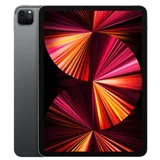
Apple iPad Pro (5th Gen) (2021)
- Screen Size 11" and 12.9"
- Internal Storage128 GB, 256 GB, 512 GB and 1,024 GB
- Memory (RAM)8 GB and 16 GB
Six support calls in three days. Over five hours wasted. My iPad Pro 12.9 (5th gen) is getting hot enough near the camera to burn your fingers—this… Read more
is a safety issue, not a tutorial.
The final advice was ‘go to Highpoint.’ I queued, explained the burn risk, and instead of ‘please stop using it; we’ll assess it now,’ I was told to wait 4–5 hours or come back later. Asked for a manager—got the same script. It's just appalling to see these people calling their colleagues to act like their managers... No triage, no escalation, no basic duty of care. People like Eva and Ebhar simply must be removed from staff, how come a business can employ this kind of individuals I don't understand. Like there are even no way to rate these hoons. At this day and age you would expect at least average people with average intelligence and sympathy to help with customers. Simply business killing individuals are getting paid for frustrating existing customer base...
I left with a dangerously hot device and zero help. Rude, dismissive service and a complete waste of time. I’ll be seeking a remedy under Australian Consumer Law because ‘acceptable quality’ includes safety. Until this store fixes its triage and customer care, I won’t spend another dollar here—and I wouldn’t recommend anyone else does either.

Apple iPad Pro (6th Gen) (2022)
- Screen Size 12.9"
- Internal Storage256 GB, 512 GB, 1,024 GB and 2,048 GB
- Memory (RAM)8 GB and 16 GB
This is an awesome device – This is an awesome device .. The graphics is next level , I spend hours drawing with the stylus pencil ! This is a added cost at around $200 from… Read more
apple but well worth it! Also I would always recommend buying the added insurance on all the Apple devices .

Punos X10
- Price (RRP) $179
- Screen Size 10.1"
- Internal Storage16 GB
- Memory (RAM)2 GB
I love this tablet – It sends me back 15 years ago when 16 gb storage was normal for Android Show details

Apple iPad Air (5th Gen) (2022)
- Screen Size 10.9"
- Internal Storage64 GB and 256 GB
- Memory (RAM)8 GB
- See all


Exactly as described. Better condition than initially thought. Very fast delivery. Very happy, would buy again. Show details

Apple iPad Air (4th Gen) (2020)
- Screen Size 10.9"
- Internal Storage64 GB and 256 GB
The ipad got a curve screen we pay good money for it and we expect long life product. Apple can't explain why. Show details

Lenovo Tab M10
- Price (RRP) $249
- Screen Size 10.1"
- Internal Storage32 GB
- Memory (RAM)3 GB
This tablet was great at the start but after a few software updates it just freezes randomly. Sometimes I have to force shutdown. Seems to be a… Read more
standard issue looking at forums and Lenovo's lack of response to the issue with no hint of a fix. Great for streaming, watching videos, email and office suit. Anything more and I would spend more to get higher specs. You do get what you pay for and this is a decent tablet for the price, just a shame with the freezing.

Apple iPad Mini 6 (2021)
- Screen Size 8.3"
- Internal Storage64 GB and 256 GB
- Memory (RAM)4 GB
Great service, quick postage and my new mini iPad works great. thank you Brad Show details

- Screen Size 10.61"
- Internal Storage128 GB
- Memory (RAM)4 GB
- See all


Best Tablet ever! – Amazing! It is so easy to use and the size is just perfect. Perfect for anything. From using it for just work, to gaming, music and so much more it really does accommodate everything. Show details

reMarkable 2
- Price (RRP) $499
- Screen Size 10.3"
- Internal Storage8 GB
- Memory (RAM)1 GB
- See all


If zero stars were possible, I would choose that. My tablet suddenly stopped working without any damage or misuse. I had been paying for Remarkable’s… Read more
warranty for exactly this situation, yet when I submitted a claim, I was told it wouldn’t be covered. Their customer service has been unhelpful, dismissive, and ultimately provided no resolution. I’ve essentially paid for a warranty that offers no real protection.

Apple iPad (10th Generation) (2022)
- Screen Size 10.9"
- Internal Storage64 GB and 256 GB
Arrived in excellent condition as described. Delivery time to WA was a bit longer than expected though Show details

Samsung Galaxy Tab Active Pro 10.1 (2019)
- Screen Size 10.1"
- Internal Storage64 GB
- Memory (RAM)4 GB
I'm done with Samsung – I bought a Samsung Active 4 Pro rugged tablet, so that I would have a device I could use in the bath occasionally. I'd used the tablet while in the… Read more
bath, perhaps a half dozen times for an hour or two. After using the tablet last night, I woke up today to find the screen flickering, and bars across the screen, and distorted areas, all consistent with water damage.
I'm now dropping my tablet off for diagnosis. Dealing with Samsung support was miserable. They made zero commitments as to whether they would honour the two year warranty. Both tech people spoke legalise jargon that made it perfectly clear the purpose of Samsung's warranty is to figure out any way possible to wiggle out of repairing the device under warranty, at their expense. They made it clear they would not cover the warranty if my device had been used inappropriately. They said they had sensors to detect if the device had been exposed to a dept of greater than 1.5m. This device has never even been submerged, much less could it be submerged 1.5m in a bathtub.
Technically, I guess my device is "water resistant" at IP68. So I suspect they will try to wiggle out saying it was not "water proof". Well here's a clue. Don't call a device rugged and say you can submerged it for 30 minutes in 1.5m of water, if you're not going to cover warranties for devices used in said conditions.
I'll post an update regarding how my warranty claim went. But regardless, this device should not have failed under these conditions. And the whole warranty process has left a bitter taste. One should reasonably think if a product fails under warranty when used as specified, it should be covered. Instead, this just feels like a roll of the dice, and whether they will figure out a way to wiggle out.
My Samsung S4 phone screen shattered within a month of ownership from being in my pocket. My Samsung TV was repaired twice due to bad capacitors, and then died at 10 years. And now my Active Pro 4 has failed. My LG fridge got rust with one year of purchase, and the ice maker seizes up all the time. All the LG tv's we purchased have horrible light bleed and light consistency, 1 of the 3 TV's screen has turned mostly blue.
I am done with Samsung. And I am done with LG, and Korean electronics in general. Literally, just about everything I have bought from them is junk or fails quickly. Samsung can literally design and fabricate processors, is one of only three companies on leading edge production nodes, the other two being Intel and TSMC. Samsung is a giant, vertically integrated Korean champion. What I don't understand is why they choose to ruin all this, by creating cheaply built, unreliable products, knowingly, and then creating a warranty and support process, that attempts to pin all the blame on the customer, when their junk inevitably fails.
I am no Apple fan. But my next tablet will probably be an ipad. Their power cords for their old Macbooks were literally built to fail, because they would not put proper reinforcement into the cable, because Apple thought a bulky plug would look ugly. But with our household having owned a dozen Apple phones and tablets, literally not one has failed of its own accord. I have had two Macbooks fail, albeit each was at least 7 years old, and both could probably have been repaired, though wasn't really worth it for old tech. I hate Apple's locked down operating system though, and it designing software assuming customers are idiots.
My next tv will be Sony or something Japanese. I guess my next tablet will be Apple. I know devices have become more advanced and complex then ever. However, I am extremely sick of this race to the bottom on quality, and the atrocious warranty process of Samsung. I really don't suspect conducting business in this manner actually boosts profit margins long run, as I surely cannot be the only customer who has been burnt repeatedly, and will never purchase another Samsung or Korean electronics product.

Google Pixel Tablet 128GB (2023)
- Price (RRP) $899
- Screen Size 10.95"
- Internal Storage128 GB
- Memory (RAM)8 GB
Tablet and dock order arrived in 4 days in good condition. The price was competitive so happy with this online purchase which was quick to setup. Have yet to try all features. Show details

Lenovo Tab M8 HD
- Price (RRP) $199
- Screen Size 8"
- Internal Storage32 GB
- Memory (RAM)2 GB
Slow and the screen haptics regularly fail – This device worked okay for about a year and then the screen would often not respond to touch o the top half of the device. It has always been slow… Read more
though and struggles with anything beyond simple web browsing.
I will not be buying any more Lenovo products. I bought an Apple IPad and it has been working perfectly for a year now.

Samsung Galaxy Tab A9+ Wi-Fi
- Price (RRP) $479
- Screen Size 11"
- Internal Storage128 GB
- Memory (RAM)8 GB

- See all


Perfect, brand new condition and in my daughters favourite blue colour. She is thrilled and I appreciate spending a bit less and recycling an item thats in new condition. Show details

Lenovo Tab P12 ZACH0173AU
- Screen Size 12.7"
- Internal Storage256 GB
- Memory (RAM)8 GB
Big screen Android tablet that excels in many ways but has battery issues maybe? – Purchased 09/2024 from Lenovo for about $550 to replace a smaller Samsung "A" series that was running out of storage space. My configuration has a… Read more
12.7inch 3k screen with 8gb ram and 256gb internal storage. Wifi only. shame there is no LTE/5g option, but as I will be using it mainly round the house or in hotels, no great sacrifice.
I have added a 512gb micro SD card for more storage ($65), and a 3rd party protective folio case with keyboard for about another $70. The onscreen keyboard is actually great so I may not have needed the keyboard, but the screen always needs protecting as it is the most vulnerable component, so I guess it was necessary. If Lenovo make one I haven't found it but would have bought it for preference over a 3rd party one. AMENDED 1104: Finally found the official Lenovo P12 keyboard via Amazon for $172. big price for a tablet keyboard, and it took 2 weeks to arrive from Europe. fantastic quality and gets power from the 3 pongo pins on the bottom of the tablet. One killer problem....some the keys are in the wrong place... for example it is not QWERTY, but QWERTZ, and the Y is on the bottom row. It also has mystery keys, and some weird Northern European keys, and some keys just don't work. I am very sad as the construction quality and ergonomics are brilliant. I sent it back and will stick with the small Bluetooth keyboard I already have.
It comes with a screen pen which baffles me and may take some time to learn or master. Never had one of them before. And it is preloaded with Android 14 as its operating system, which is similar to 13.which I already know. Also comes with a powerful charger to speed up recharging. All USB C plugs of course.
So why did I buy or need a 12.7inch screen? Diminishing eyesight.
First impressions:
Absolutely gorgeous high resolution screen that knocks my socks off. Heavy! That's the downside of a larger form factor and screen. Sturdy metal case that is well screwed together.
Fast OS and generous 8gb of. ram. Implementation of Android not quite as slick as Samsung does, but pretty good. Not. much bloatware to delete. Just a few annoying kids games. No obvious way to port all my programs and data from my old Samsung to the new Lenovo wirelessly or wired, so has to be done bit by bit manually. Not a big problem, always good to start afresh, and get rid of programs and data I rarely used. But I could be wrong, maybe I just couldn't figure out how to clone the old programs and data to the new machine. Samsung makes it very easy. Lenovo could learn from Samsung.
Terrible documentation and manual. More like a chewing gum wrapper in size. and it is called a Quick Start Guide, which is accurate, though it's not much help. I pity anyone new to Android trying to get their head around it.
Performance is impressive. I have had 7 tabs open simultaneously with no slow downs, freezes or juddering. Video playback is especially impressive, and video quality is brilliant. Download speeds and wifi buffering is also great. No complaints despite the relatively unknown processor, and 8gb ram.
Several of the more obscure irrelevant programs included with the machine have crashed, but no great loss ro me. They are just buggy, and peripheral to me anyway. Microsoft 365, including Outlook and OneDrive, go like the clappers with no issues. Email implementation is swift and elegant for both my accounts. Specialist marine programs I use also run perfectly. There is so little to gripe about I am truly thankful. I have downloaded about 40 programs from the Android store and all run without a problem and with each other.
AMENDED 102024: Battery life is now a big question mark. YouTube reviews of the P12 estimate battery life between 5 and 10 hours. I am getting 4 and a half hours. That is a huge range. I suspect endurance may be heavily influenced by screen brightness settings and use of Bluetooth and wifi. But there must be something draining the battery even when it is asleep, as I have not been watching videos or multi-tasking to any extent. Less than 5 hours is a poor result and indicates Lenovo need to upgrade their software or firmware.. It is the only major disappointment with this tablet but means I cannot give it more than 3 stars. ( Changed to 4 stars as I love everything good about this so much.) But I cannot recommend it as a purchase. Time will tell whether an update fixes this problem.
Only other gripe is warranty. Warranty: some confusion here, mine arrived with only 6 months warranty left but in mint new condition and all the wrapping and boxing you would expect? Something is wrong here somewhere. The tablet Settings tell me the warranty period started in April, but I purchased in September and it arrived in as new packaging and condition. Go figure. AMENDED 112024: When I registered the purchase with Lenovo online, I got the option to amend the warranty start date, which I did, and they approved the next day. Now have a full 12 month warranty.
Conclusion:
The Lenovo P12, after 4 weeks of use, is a joy to own and use . It has so much going for it, but the poor battery life was a shock. It is an absolute winner and a letdown at the same time at a fraction of the price , (maybe one third) ,of technically comparable machines, but I hesitate to recommend it if you use your tablet mostly away from a power socket.

Samsung Galaxy Tab S9+ (2023)
- Screen Size 12.4"
- Internal Storage256 GB and 512 GB
- Memory (RAM)12 GB
I bought a Samsung Galaxy Tab S9 FE. It's nice and all, but 1 feature that is needed is not included. After spending the money, thinking that I can… Read more
plug my new S9 into a display monitor and to work with DEX, it seems that it does not work. This feature works with all of the Samsung devices that I had in the past. Why did they remove it, is beyond me but I think is to force you to spend more money and upgrade to a more expensive device. I already spent my money which is too late. This is just pure greed and a C$#T move from Samsung.
I would not recommend buying it.

Samsung Galaxy Tab S9 FE (2023)
- Screen Size 10.9"
- Internal Storage256 GB
- Memory (RAM)8 GB
- See all


Avoid Samsung Tablets for Work – Misleading and Unreturnable – If you're considering a Samsung tablet for work, note-taking, or creative industries, think twice. The advertising promises a powerful, versatile… Read more
tool, but the reality is far from it. The device feels clunky and impractical for note-taking or professional use.
The most concerning part? Samsung's rigid return policy. Once you've purchased, you're stuck. There's no trial period or satisfaction guarantee—if the product doesn't meet your needs, tough luck. For a product that costs thousands, this lack of flexibility is unacceptable.
I strongly advise against purchasing Samsung tablets unless you're 100% certain it's the right fit, as there’s no way to return it if it falls short of expectations. Save yourself the frustration and invest in a company that stands behind its products and values its customers.

Alldocube iPlay 40
- Screen Size 10.4"
- Internal Storage128 GB
- Memory (RAM)8 GB
Good value but bad upgrade experience – I'm happy with the price and quality of the tablet. However. I'm really surprised with their diligence. I was trying to download the latest upgrade… Read more
version 20210526 from their portal and thinking to upgrade my existing 20210525. Unfortunately, after flashing it. My version stay intact 20210525. What did change was it wiped everything clean and gave me a factory reset without give you a single word of warning!!!! I got NO warning in the instructions or while flashing the "upgrade". So I have wasted my time downloading it, flashing it and reconfigured the tablet all over again, plus I've lost some of my data!!! I was trying to post my comment on their firmware update page but never able to. Therefore, you only see a few comments on that page. Also Alldocube DON'T really reply to user comments in regards to the firmware confusing issues on their forum https://www.alldocube.com/en/forums/topic/5037/

Wacom One Creative Pen Display
- Price (RRP) $399.95
- Screen Size 13.3"
Wacom One 12" – The Wacom on does not come pc compatible and requires an extra $100 purchase if you plan on working on something that isnt a chromebook
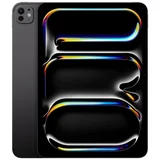
Apple iPad Pro (7th Gen) (2024)
- Screen Size 11" and 13"
- Internal Storage256 GB, 512 GB, 1,024 GB and 2,048 GB
- Memory (RAM)8 GB and 16 GB
iPad arrived as described, and works perfectly. Very happy, would purchase from them again. Show details

Microsoft Surface Go 2 (2020)
- Screen Size 10.5"
- Memory (RAM)8 GB
Perfect Size – I needed a laptop for our business while I'm on the go and ended up purchasing this back in March. It's a great product. It doesn't lag, plenty of memory and is perfect for emails and general browsing. I haven't had any issues so far. Show details

Apple iPad (11th Generation) (2025)
- Screen Size 11"
- Internal Storage128 GB, 256 GB and 512 GB
This iPad was purchased from the Good Guys in Cairns, service was excellent as usual, and it is always our first stop for electrical goods. My… Read more
previous iPad was smaller and had started getting dark lines down both sides. It still works OK, and I now use it as a back-up. Things I like about it, the bigger screen, a much better camera and it was so easy to set up. Interestingly, the cost for a bigger iPad five years later, the cost was identical at $629.00. This was helped by $90 of in-store credits I had with The Good Guys.
Things I don't like about it, nothing, it meets all of my expectations.

Alcatel 3T 8 (2018)
- Screen Size 8"
- Internal Storage32 GB
- Memory (RAM)2 GB
Alcatel delivers a simple but outstanding cellular tablet – What a wonderful product. I have dropped it by accident many times but it has never broken or cracked. The camera is simple but effective. Data can… Read more
be backed up easily. It links with my provider network wherever l go.
The device is low vision disability friendly. And easily fits into my jacket pocket.
Slightly smaller than an ipad mini yet it receives mobile calls, emails, sms and searches the web using a single sim card! Best of all was the ridiculously low price of less than $200.
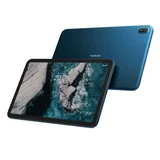
Nokia T20
- Screen Size 10.4"
- Internal Storage64 GB
- Memory (RAM)4 GB
Nokia T20 Tablet – Great size, fantastic camera, the quality of the photos are fantastic ( love that word ) great size to fit into my satchel. Very slim and comfortable to hold. The screen has great definition

Lenovo Tab M11 ZADB0187AU
- Price (RRP) $449
- Screen Size 11"
- Internal Storage128 GB
- Memory (RAM)4 GB
The M11 is very difficult to navigate. There is no way to access micro SD cards even though they can be put in the tablet. I tried a new card and two… Read more
older cards that both worked in two other tablets, one windows and one android, with no trouble. The lenovo didn't even have a means to locate the card.

Microsoft Surface Pro X (2019)
- Screen Size 13"
Flexible, useful, large screen, but persistent touch screen frustrations – IN SHORT: KEY NEGATIVES 1) Touchscreen controls aren't very user-friendly and can't be changed. 2) Touchscreen keyboards are extremely buggy. 3)… Read more
Many apps aren't available on ARMx65. 4) Features are mostly designed for landscape mode and physical keyboard use, with little or no consideration of portrait mode and on-screen keyboard use.
(*** I was able to overlook negatives 1, 3 and 4 for months, with the positives balancing it out, initially rating it 4 stars. But negative 2 has become a real deal breaker, making it almost un-usable for many purposes. ***)
NEUTRAL OR MINOR NEGATIVES 1) No headphone jack. 2) No traditional USB port. 3) Facial recognition struggles in different lighting conditions. 4) Paid apps normally available on two devices (PC + tablet/phone), do NOT consider it to be a tablet. 5) It's the largest possible size that's still comfortable for me to hold. ie. Ideal, for certain hand sizes and up.
POSITIVES 1) Large, clear screen size. 2) Relatively light weight. 3) Balance between tablet (simplicity, convenience) and laptop (flexibility, options). 4) You can use the full version of MS Office (unlike feature-limited versions online or on iPhone/iPad). 5) Works reasonably well with the pen. 6) OneDrive, integrated with many MS apps, makes it easy to transfer between multiple PCs and the tablet. 7) Easy to have multiple apps and programs running. 8) In landscape mode (but not portrait mode): easy to alternate between snapping windows (to the left/right) and normal PC flexibility for resizing windows manually.
DETAILS: NEGATIVES 1) The touchscreen controls aren't ideal and there is no way to change them. eg. 'Press and hold' for right-click doesn't work with a lot of apps, which use 'press and hold' for other things. Two-finger touch (which is actually the setting for the touchpad) would be much more appropriate. 2) Touchscreen keyboards are extremely buggy - almost unusable. If set to on, each of auto-correct and suggest-as-you-type options sometimes work, sometimes don't. The same is true for the finger-slide typing option, which is additionally limited to only one keyboard layout. Shift often stays on (sometimes temporarily, resulting in 2-3 capitalised letters; sometimes permanently, requiring you to lock and unlock the screen to get it back to normally); Caps Lock often does NOT stay on. Less frequently, the keyboard simply stops working at all (to the point that you can't even close it). 3) ARMx64 is not x64. Apps I'd purposely wanted a tablet to use are not available (or are available in old, less secure versions of apps), despite being available on Surface Pro 7 and iPad. Big oops! I sure wish I'd known about that (and known what impact it would have), before buying this. Sometimes out-of-date apps are still available in x32 bit versions, which do work on ARMx64. They're not always cross-compatible with x64 versions on your PC, though, and can mean security risks (as newly discovered vulnerabilities aren't patched in older versions). 4) Some features too heavily focus on landscape mode and keyboard use. I mostly use it like a reader - otherwise I'd have bought a laptop instead! This is minor, thing, though, compared to the above three points.
NEUTRAL 1) Only wireless headphones - no headphone jack. (Becoming a standard to keep things slim, but I'd much prefer it with a jack). 2) No traditional USB port. (Also becoming a standard to keep things slim. Use OneDrive for transfer instead, and you won't notice.) 3) Facial recognition works fine in neutral lighting, but has trouble with different lighting conditions. Great to have the option, but make sure you learn your passcode, because you'll still need it regularly. 4) Paid apps normally available on two devices (PC + tablet/phone), do NOT consider it to be a tablet. (A benefit if you want an app on both your phone and the Pro X as a laptop. A disadvantage if, like me, you want the app on your home PC and on the Pro X as your tablet). 5) It's the largest possible size that's still comfortable for me to hold. It's *right* on the borderline for me, occasionally awkward, but not normally. ie. Ideal, for certain hand sizes and up. (I'm a fairly average hand-sized male).
POSITIVES 1) The screen size is great. (As mentioned above, the largest possible that's still comfortable - for me that mostly means in portrait mode, 'reader' style). 2) Related to that, it's relatively light weight. 3) Aside from negatives already mentioned, it's a decent balance between Tablet and PC, particular being able to turn tablet mode on and off. You can get the simplicity and the convenience of a tablet, but also get far more flexibility and many more options for programs (if there are either ARMx64 or x32 bit versions) than with iPad, for example. 4) Related to the above point, you can use the full Office programs. I used to use Office on iPad and it was a very feature-limited version, not really any better than Apples own equivalents for iPhone/iPad. On the Surface, you get all the same features you get on your PC - in Word, PowerPoint, OneNote, Excel, etc. 5) It works well with the pen. (Which also serves as a neat shortcut tool. I set it so clicking the top, holding it, or double-clicking auto-runs my top three pen-based apps). 6) With OneDrive set up right, files are very easy to transfer between multiple PCs and the tablet. Being Microsoft-based is an advantage, as many apps and programs integrate OneDrive, so it's pretty convenient. 7) Very easy to have multiple apps and programs running. 8) It's easy to alternate between snapping windows to left/right (great for working with just two apps, when you want to read or watch something while having a note-taking app next to it, for example) and normal PC flexibility for resizing your windows manually (great for working with three or more apps, when you want to lay them all out however you prefer and/or want to easily minimise/maximise).

Onyx Boox Note 5
- Price (RRP) $569.99
- Screen Size 10.3"
- Internal Storage64 GB
- Memory (RAM)4 GB
I bought a Boox Note Air5 C for university but found the colour e-ink technology deeply disappointing. I wanted a colour display for viewing diagrams… Read more
etc but the resolution is so low it's very pixelated. I've learned that this is the current state of colour e-ink technology - it's just nowhere near as good as monochrome.
Additionally, the Note's screen is so dark that it requires constant frontlighting, which drains the battery extremely fast. When reading outside and having the frontlight turned up 100%, the battery reduced 25% in 1 hour. Apparently this is a problem with all Kaleido displays, so be prepared to carry a charger with you.
Another problem is that the magnetic case that comes with the Note causes the stylus to malfunction - you have to remove the case to use the pen properly. When I asked Boox Customer Support about this, they explained it is a "physical phenomenon" whereby any magnets will interfere with the e-ink display causing it to reject the stylus. Hmm. And yet they send the device with a magnetic case...
Before buying this product, watch the YouTube video called "BOOX Note Air 5C: The 5 Problems They WON'T Tell You About". I wish I had seen this before buying.
WARNING ABOUT RETURNS: I attempted to return the device but it would have cost me approximately 40% of the purchase price to return it due to Boox's return policy (customer pays original delivery fees, receipt charges, and international return shipping costs) - even though the device was in original condition and with original packaging. When I asked Boox to reconsider some of these charges, they refused any flexibility. Given that you can't try the device anywhere before buying it, I find this policy very rude. (Compare this to Remarkable, who offer 50-day returns with free return shipping...)
In summary, don't buy this device unless you've thoroughly researched its limitations and you're 100% sure it's the device you want.

Lenovo Tab Plus ZADX0134AU
- Screen Size 11.5"
- Internal Storage256 GB
- Memory (RAM)8 GB
Total rubbish - beware of a 'dead' screen issue! My screen died after 10 weeks of casual operation (purchased 1/25). After referring this to Lenovo,… Read more
they happily issued the Harvey Norman store with a credit note to replace the faulty item - good! But, I got the replacement 'Lenovo Tab Plus' tablet today 9/5/25 and it worked for about 2 minutes before the screen started flickering and lines formed across it. Then, the screen went blank and wouldn't come back on. There's a faint glow when the 'on' button is pressed but like before, the entire screen is blacked out. 2 out of 2 duds for me - not a good track record for this tablet which I used to love (for 10 weeks anyway) before the screen issues. Will I get a 3rd one - dunno, unless Lenovo offers it to me as a freebie for the inconvenience and frustration this has caused. me. (The photos below are from the 1st tablet)

Microsoft Surface Pro 9 (2022)
- Screen Size 13"
Hi everyone, I’d like to share my experience with the Surface Pro 9 and see if anyone else has experienced something similar. I’ve now tested Three… Read more
separate Surface Pro 9 units (original + replacement from Microsoft support) and TWO power adapter (Original). Whenever the unit is connected to mains power, I consistently feel a noticeable tingling / vibration-like sensation when touching the metal chassis. This happens even when the device is powered OFF, as long as it’s plugged in.
I understand Microsoft’s official explanation regarding “touch current” and that it’s considered within safety standards. However, my experience feels stronger than what’s typically described as a “very slight” sensation. It’s consistent, repeatable, and noticeable enough to affect my confidence when using the device—especially during long sessions, online classes, or legal proceedings.
Important notes: - This happened on THREE different units - Same behavior with different power adapter, wall sockets and environments - No such sensation on my phone, tablet, or other computers - The sensation disappears immediately when unplugged - I’m using the original Microsoft power adapter
I’m not claiming this is unsafe or defective by definition—I’m sharing my real-world experience as a user. For me personally, this made the device unsuitable for daily use, and I’m now considering a refund instead of another replacement.
I’d genuinely like to hear: - Has anyone else experienced a similar touch current / tingling sensation on Surface devices? - Did grounding, different adapters, or other changes help? - Is this more common with certain regions or power setups?
Thanks in advance for any shared experiences or insights.

Apple, Microsoft or Android tablet?
The first thing you need to consider is which brand ecosystem you want to tie yourself to. This is because they each contain unique operating systems (OS) that contains different apps and cloud services, often not interchangeable between platforms.
In terms of the different app stores, Android uses Google Play, Apple uses iTunes and Microsoft uses Windows. Having compatible operating systems across your devices leads to a much more convenient experience for the user rather than buying devices with different OS. Otherwise, you’d have to purchase the same apps, songs and books on each device.
Google Play has the highest amount of apps with 3.4 million as opposed to Apple’s 2.2 million, followed by Window’s 669 thousand apps.
Both the iTunes store and Google Play store sell music, movies, TV shows and apps, however, the iTunes store also sells audiobooks, podcast and music videos.
Google Play distinguishes itself from the iTunes store by offering ebooks, magazine subscriptions, web feeds and more. It also offers Google-branded gear and accessories such as Nexus, Chromebooks, Chromecast and other Google-branded gadgets. Google Play Books is the world's largest eBookstore with over 5 million volumes while the Play Newsstand has about 1,900 free and paid publications.
On Windows 10 devices, you can purchase apps, music and movies through the Windows Store as well as other app stores. Certain software titles may be exclusively available via the Windows Store, however.
What is the best tablet to buy?
Those looking to buy a tablet tend to fall into one of the following categories, and each will require a different tablet to tackle different functions.
- Casual Users: Children and those who are less techy.
- Mid-range users: Students or remote workers for notetaking and reporting purposes.
- Heavy-duty users: Content creators, graphic designers, gamers and techies.
Casual users
If you’re a casual user or you’re purchasing a tablet for a casual user, choosing a table with a friendly user interface is the most important thing. One of the easiest to use operating system is the iPad’s iOS. It comes with handy pre-installed apps and easy-to-learn shortcuts.
Depending on the intended use, for instance, scrolling through social media and streaming videos and movies, you may want to opt for a small-medium sized tablet with enough memory storage to download any movies and songs.
Mid-range users
Those who study or have office jobs naturally need to surf the web more often and require apps in order to do research and complete reports. Tablets like the Samsung Galaxy or Lenovo Yoga pad provide easy Google Drive integration, providing easier access to the necessary apps across devices.
Heavy-duty users
Heavy-duty users including those who do photo or video editing, graphic design and heavy gaming will want to opt for a high-end tablet such as the Microsoft Surface Pro 7 or Apple iPad Pro. They will contain onboard graphics processing units to run graphic-intensive applications.
The iPad is at the top of the list in terms of popularity due to its sleek design, iCloud features and easy user interface. However, Windows is the most powerful in terms of functionality and cross-device compatibility. Android’s Google Play offers the most apps along with great functionality and affordability compared to the other two brands.
What to look for
Screen size
Tablet measurements are given in inches and refer to the size of the screen (measured diagonally from corner to corner). They tend to fall into three sizes:
- Compact (5-8 inches)
- Medium (8-11 inches)
- Large (11+ inches)
Each size comes with its pros and cons. A compact tablet is portable, lighter and easier to carry and cheaper. Travellers and light users may benefit from a tablet such as the iPad mini or 7-inch Amazon Fire.
Tablets that are medium in size can be excellent for those who use productivity programmes, games and movie downloading. Tablets in the 10-inch category, such as the iPad Air 2, strike an excellent balance between portability and productivity.
Larger tablets, such as the Samsung Galaxy View or the 12.9-inch iPad Pro, are less portable, but they can serve as an excellent laptop substitute. Notebook-tablet hybrids often have screen sizes ranging from 11 to 13 inches, but may not be suitable for those who want something cheap and lightweight.
Screen display resolution
The resolution of a screen display is measured in pixels per inch (PPI), and the greater the resolution, the sharper the text and graphics will seem. They range in resolution from 1,024 x 600 pixels to 2,560 x 1,700 pixels. Higher-resolution screens demand quicker CPUs to operate extra pixels which consume more power and reduce the device's battery life.
Storage space
Most tablets vary in capacity from 8GB to 1TB. How much space you'll need depends on how you intend to use the tablet. All tablets can handle tasks such as checking emails, browsing the web and streaming videos over the internet since that doesn’t require downloading.
However, if you’re known for your array of music, photos, videos and apps, you’ll require a larger storage capacity. Light users can get away with 16GB, but for most people, 32GB is a comfortable storage size to handle music and games.
Unlike most tablets from Microsoft and Google, Apple tablets cannot be upgraded using an expandable microSD card. To make up for this, Apple’s iPad Pro offers a whopping 1TB of storage. There are also wireless storage solutions for tablets without hardware connections, like the iPad, which offers extra storage through the iCloud.
If your tablet does have external connections like an SD card or USB slot, then you can get away with less storage internally. Expandable storage can be added via a memory card, USB flash drive or even an external hard drive.
Online access
Tablets tend to come in a WiFi-only model or with a mobile broadband plan for 4G data which will cost extra. Many of the newest tablets are capable of 5G network compatibility. You can also use your smartphone as a mobile hotspot which is available on most recent models.
Battery life
Because of the ultra-portability of tablets, battery life is a critical feature to consider. Ideally, they should be able to last a full day of normal use before needing to be recharged.
Value for money
Prices for tablets range from below $150 to more than $2,000 depending on the size, capacity and connectivity features.
There are many different types of tablets on the market today, each catering to a different demographic and price range. There are low-cost tablets that can perform all of the functions of a laptop, making them ideal for students and professionals. Even tablets on the lower end of the price scale are capable of light to medium-heavy computing tasks and cost up to $399.
At the same time, pro-grade tablets for digital designers and engineers are available for upwards of $1,000. They are more powerful devices with top-of-the-line processors, ample storage and memory, and support for a stylus and a smart keyboard.
Camera quality
Front and rear cameras on tablets can range from 5-12 MP and may be important if you’ll be using it as your main source of capturing memories.
Colour/finish
The look and feel of your tablet can be an important factor to consider when choosing one. Tablets tend to come in a variety of colours and finishes including silver, grey, black, gold, blue and more.
Features to consider
Additional features you should keep in mind when shopping for your perfect tablet include stereo speakers, a stylus, a 3.5mm headphone jack, wireless charging and waterproof features.
Convertible tablets
Convertible devices attempt to combine the power of a PC with the portability of a tablet. These 2-in-1 devices either have a detachable keyboard or are essentially a full-size laptop with a touch screen. They tend to be in the higher price ranges as a result of this adaptability.
Tablets for children
When buying a tablet for a child, consider the size, price, durability and whether it has parental-control features. A 7-inch tablet is the most comfortable size for small hands, and given the risk of a broken tablet, you'll want to stay on the low end of the price spectrum — spending no more than $200. With rubber bumpers, a compact size, parental controls and a kid-friendly interface, the $99 Fire Kids Edition is a good choice. It also comes with a 2 year warranty in the case of any accidental damage.
You can read reviews on the best tablets on the market on our website today to help you make up your mind.