Best Printers

Brother INKvestment MFC-J4440DW
- Price (RRP) $295
- Printer TypeInkjet
- Multifunction FeaturesCopier, Fax and Scanner
- Two-sided PrintingYes
- See all


It's been a great addition to our setup! Prints are sharp and clear, and the ink system lasts ages, which is a big plus. Easy to use, reliable, and perfect for both home and small office use. Definitely a solid choice.

Brother HL-L2350DW
- Price (RRP) $159
- Printer TypeLaser
- Multifunction FeaturesCopier
- Two-sided PrintingYes
- See all


I.S.WH! – Love my brother HL-L2350DW. She might not be the sharpest most Hi-def printer on the market, but when it comes down to brass tax, $50 second hand on… Read more
facebook marketplace and a new toner to boot, this unit has got my back through university and beyond. Efficient and friendly, an industry standard workhorse, hands down.

Brother HL-L2395DW
- Price (RRP) $214
- Printer TypeLaser
- Multifunction FeaturesCopier and Scanner
- Two-sided PrintingYes
Very hard to set up – The disc that came with the printer did not work so the drivers could not be installed using the disc. I phoned tech support but the first person I… Read more
spoke to could not help me. I was contacted not long after by someone else from Brother who was able to help me however the drivers had to be installed via the Brother website because the disc did not work. This all took up a few hours of my time. I was expecting a much easier install.
Have only had the printer a few hours: have tried printing and scanning and it seems to work well. The scan function is certainly much easier to use than my Canon printer/scanner. I connected the printer using a USB port rather than wifi.

Brother MFC-L2750DW
- Price (RRP) $329
- Printer TypeLaser
- Multifunction FeaturesCopier, Fax and Scanner
- Two-sided PrintingYes
- See all


Brother MFC-L2880DW - Software inconsistancies belittle what should be a good product – Read other reviews on the outgoing models L2750DW and L2730DW and many of the lower ratings obviously come from technically challenged people who… Read more
have reached the 'p*ssed off' point, but having had L2750DW for years after having had HP (gold plated) for decades, I currently consider these Brother printers to be the best value for money, developed through an era where competition with the market leaders demanded a bit more from the manufacturer. They, as do the replacements L2820DW and L2880DW print duplex, scan duplex (the 50/80 models), take a single feed for letter head paper, can print on an envelope, support AirPrint, and still work well under Windows 11, despite reviews from some who seemed to have had trouble with a couple of these features. My review is about the software rather than the hardware. While some reviews have rightly criticized the noise of the Brother printers (double the price and you might get a quieter HP printer), no one has looked at the software used to scan with the printers, which is where I think most of the problems reported have stemmed from, and it's almost impossible to evaluate it before purchase because the software while accessible in downloads, won't install or run without the physical printer switched on and accessible, so you have to buy it first and then fathom the software, which is usually cheap and nasty. So, the older Brother models, and even some fuji Xerox older models which look like re-badged Brother printers for the domestic market, used a software called ControlCentre4, while the new Brother Printers use a software called iPrint&Scan. ControlCentre4 is great, offering many features like rotating, cropping, automatically skewing the scan and deleting blank pages from the scanned documents, and others. However it has a difficult interface, two interface versions that can confuse and the initial install does default to the confusing more complicated so you first have to realize you need to change to the more user friendly configuration. But it does do anything I've ever wanted but only on the PC. iPrint&Scan is Brothers replacement that comes with the L28 series printers, and while iPrint&Scan can be used with the older printers, ControlCentre4 cannot be used with the newer models, but unlike CC4, has versions for IOS and Android devices as well as Windows/MAC. Mt personal needs require the abilities to crop and leave out blank pages, both features handled by CC4, but NOT by iPrint&Scan on Windows. They are in the mobile device versions, so WHY NOT ON THE WINDOWS VERSIONS!!? What sort of a lame approach to good design and product quality deploys a product to multiple platforms with some important features left out some of the versions, especially when the superceeded software handles these so easily and well. This is another cheap and nasty outcome like the noise, that turns what should be a market leader into just another piece of frustrating crap. Brother, get your act together and fix up iPrint&Scan so your low skilled front line support agents don't have to feed unintelligent garbage back to people like me who are only trying to help with good feedback. Issues like these are what frustrates people as is indicated in some reviews I've seen of the older models. THE SOFTWARE IS AS IMPORTANT AS THE HARDWARE AND IN THIS CASE IT WOULD BE SO EASY TO FIX! People, research your software as well as your hardware before you buy. Meanwhile I freely admit this review is primarily meant to kick Brother out of their complacency and get them to improve iPrint&Scan for Windows

Canon Pixma MG3660
- Price (RRP) $89
- Printer TypeInkjet
- Multifunction FeaturesCopier and Scanner
- Two-sided PrintingYes
Absolutely by far the worst thing Ive ever owned. I don't know how other people give this piece of cr#p anything more then a 1 star! No matter what I… Read more
do it just will not connect to any network. The instruction manual is completely useless and so is a quick internet search. Tells me how to set it up only to not work at all. Complete trash I wouldn't even call it a printer call it a red brick that's completely irrelevant only thing it does do is take up space. I don't even want to put this heaps of cr#p out in the street and give someone else the burden of owning something so cr#p. Canon if you produce cr#p like this then I'll never ever purchase anything with your name on it.

Epson EcoTank ET-4750
- Price (RRP) $649
- Printer TypeInkjet
- Multifunction FeaturesCopier, Fax and Scanner
- Two-sided PrintingYes
Use to love Epson. Had a dot printer years ago. This one worked great when we first bought it but after that it was one big fail. We only print every… Read more
now and then. When we went to use it months later the heads were blocked. After troubleshooting online it said it was a common problem and the ink tank printers needed to be used constantly to avoid blockages. I ran it through a couple of cleans but no improvement. It recommended as a last resort to run it through a deep clean. The deep clean uses a lot of ink. The ink bottles may last a long time but they are very expensive to replace when the time comes.

Brother MFC-L3750CDW
- Price (RRP) $397
- Printer TypeLaser
- Multifunction FeaturesCopier, Fax and Scanner
- Two-sided PrintingYes
Worst customer service! Not only is the printer a waste of money but the worst part is that dealing with Brother is a complete waste of time! All… Read more
they do is gather your data and then don't give you any assistance. I would NEVER buy any Brother product again.

HP OfficeJet Pro 9010
- Price (RRP) $269
- Printer TypeInkjet
- Multifunction FeaturesCopier, Fax and Scanner
- Two-sided PrintingYes
HIjacked by instant ink. Can no longer print as I cancelled subscription. I have brand new cartridges that will be thrown out. Greed is more important that the environmnet. I will never buy another HP product again. Show details

HP Smart Tank 7005
- Price (RRP) $539
- Printer TypeInkjet
- Multifunction FeaturesCopier, Fax and Scanner
- Two-sided PrintingYes
an overpriced slow hard to keep connected nasty thing.... do not buy one......Harvey Norman gave me bad advise about this thing....I am about to buy a brother...I had her years and was never a problem..... Show details

Canon Selphy CP1200BK
- Price (RRP) $159.01
- Printer TypeInkjet
Beautiful prints (updated review) – The colour print quality is great, and the printer is easy to use once you've linked it to your phone/tablet and installed the app. However, we have… Read more
only used the printer on 4 occasions (all special family events) over the past few years and now we get a constant message on the screen saying "Ink cartridge empty -install a new cartridge", even when we've just installed a brand new one. It appears that it maybe a common fault, as there a several YouTube clips for electronics handy people to fix the problem (a loose cog that is meant to pull the ink across the paper??). We are very disappointed, as we trusted the quality of Canon, and having it fixed by Canon costs more than a new printer. UPDATE - it turns out it was the cartridge set that was faulty (including the same batch numbers of brand new ones on the shelf in the camera store). The Camera House, where I had purchased this cartridge and the printer, were beyond helpful and looked after sending back the faulty ones and replacing them with new ones. The printer itself is reliable and great quality - hence the update of the review.

Canon Pixma TS5160
- Price (RRP) $98
- Printer TypeInkjet
- Multifunction FeaturesCopier and Scanner
- Two-sided PrintingYes
Purchased 6mths ago and today finally worked out how to use, extremely complicated. Something as simple as changing from colour to black and white … Read more
you have to google how to do it.If you're like me and over 50 with reasonable IT skills it's not for you

Epson Expression ET-2700
- Price (RRP) $545
- Printer TypeInkjet
- Multifunction FeaturesCopier and Scanner
Worst printer I have ever owned – Worst printer I have ever owned. I have to clean the heads multiple times just to print a clear page. This seems to be a known issue ... don't buy one.

Brother A3 Multi-Function MFC-J6930DW
- Price (RRP) $499
- Printer TypeInkjet
- Multifunction FeaturesCopier, Fax and Scanner
- Two-sided PrintingYes
I owned a canon printer for well over 10 years, never a problem ever. Then I turn st^pid and buy a Brother. The most brain bending machine I have… Read more
ever owned. NEVER EVER again would I buy another Brother product again. Countless wasted hours. multiple phone calls to Brother for assistance again and again. Having to send stuff miles away to have it printed or scan as this machine wont work.

HP OfficeJet Pro 7740
- Price (RRP) $299
- Printer TypeLaser
- Multifunction FeaturesCopier, Fax and Scanner
- Two-sided PrintingYes
HP have resorted to electronic extortion of it's own customer base. Since the latest firmware update, put any cartridge in the printer, other than a… Read more
HP cartridge and not only will the printer malfunction, the printer will refuse to print. Not just refuse to print colour if one of the extortionist priced colour cartridges has been replaced refuse to print anything. Corporate extortion and enshitafication at an global scale. Avoid this unmitigated extortion at any cost.

Brother MFC-J6530DW
- Price (RRP) $349
- Printer TypeInkjet
- Multifunction FeaturesCopier, Fax and Scanner
- Two-sided PrintingYes
Grrrrrrrrrrr – I’ve been persevering with this thing for years, thinking I was doing something wrong and paying stupid amounts for ink refills. It has to be the… Read more
bulkiest, ink hungry monster I’ve ever met in my life. You pay $120ish for a new set of ink only to get “can’t print alerts” when the ink is still 1/3 full. Right now I have a message saying the wrong colour ink is installed whilst I’ve been printing fine for weeks. I absolutely hate this machine for the stress and expense it’s caused me. It’s old now and will be dying an appropriate death via axe!!

Epson Expression Home XP-4105
- Price (RRP) $79
- Printer TypeInkjet
- Multifunction FeaturesCopier and Scanner
- Two-sided PrintingYes
- See all


I’ve change the ink cartridges twice and it’s skipping lines like every print. Easy to use but print quality is rubbish. Ink cartridges don’t last… Read more
long and the overall experience is bad. I’m going to throw this out and get a much more reliable printer.
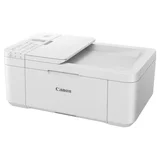
Canon Pixma Home Office TR4665
- Price (RRP) $99
- Printer TypeInkjet
- Multifunction FeaturesCopier, Fax and Scanner
- Two-sided PrintingYes
Worst printer I've ever had the pleasure to set up. An absolute disgrace to the Canon brand. Do not buy this printer you will be bitterly… Read more
disappointed! Set up via the web site on WiFi, print quality is very poor and blurry, did the deep nozzle clean and print head alignment could not evan print the alignment page without getting an error code of 5100 consistently. Wasted so much paper trying to fix the blurry unreadable document. Consistent paper jamming. Removed the cartridges and reinstalled them thought this might be the issue no way just more frustration. Deleted the printer from the laptop and reinstall as USB connection no difference in quality and error codes and paper jamming after 3 hours of my life gone I packed it up and taking it back for another brand.

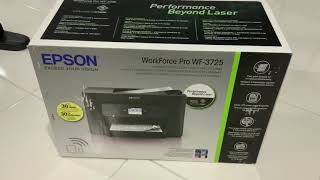
Epson Workforce Pro WF-3720/WF-3725/WF-3730
- Price (RRP) $219
- See all


The printer continues to display a low ink level warning even after a brand-new genuine cartridge has been installed. The issue persists despite… Read more
replacing the cartridge with a new Epson cartridge.
The printer has had very little use and would be lucky to have printed more than 30 pages in total during its life. Unfortunately, despite following the recommended troubleshooting steps, I have not received a satisfactory resolution or support from Epson.

Pantum M6509NW
- Printer TypeLaser
- Multifunction FeaturesCopier and Scanner
- Two-sided PrintingNo
The Pantum Printers One Annoying Habit! – This is a reasonable printer for home use and build quality seems quite good, toner is lasting well after 12 months of ownership but unfortunately… Read more
the printer has a habit of removing internal permission to belong to the network and I have to continuously go into the printers internal print server and turn it back on again.... my wife does not know how to do this so it can get annoying for her when it drops the connection .....
If you find your Pantum printer not joining the WIFI network or not printing:
Change your PC/Laptop from your current wifi network to the Pantum Printer's wifi, select the Pantum Printer and connect to that by its usual password:
Pantum Printer Login: 12345678
Open your browser and go to Pantum Printer at 192.168.223.1(unless you changed it) Login to the Pantum Printers printserver:
Pantum Printserver Login: admin and 000000
Goto > settings > wireless settings > wireless network ENSURE that the "basic status of" is turned "ON" check your "normal wifi password" is correct at bottom of screen, Select "Apply"
and the printer should then join the network and print ....

Epson EcoTank Photo ET-8500
- Price (RRP) $999
- Printer TypeInkjet
- Multifunction FeaturesCopier and Scanner
- Two-sided PrintingYes
Had numerous printers over the years, absolutely no problems at all with this printer, software is very easy to use, updates load all the time with no fuss.

Canon Pixma Home A3 Craft TS9565
- Price (RRP) $369
- Printer TypeInkjet
- Multifunction FeaturesCopier, Fax and Scanner
Pretty Good – I use several of these simultaneously to print large quantities. I love that it prints A3. I love that it prints borderless A4. I love that it… Read more
handles glossy 300GSM cardstock. I love that it handles sticker paper and vellum without jams. (use the rear feeder) I had some trouble keeping all 3 of them connected via wifi. I then used USB cables instead. Sometimes they would still disconnect / not recognise. I then upgraded my computer (more RAM and better CPU) and installed the proper canon software for adding printers, and added each printer with that. That has helped and the printers have not disconnected since then. I use a 4th Canon (different model) and all 4 Canons can print simultaneously with no issue. I had some issues with ink being printed on the corners of pages for a while. I did all the usual cleaning and maintenance but it did not help. I contacted Canon and they made me do some troubleshooting with them, but again the issue did not resolve. So they sent me a replacement. I love this printer a lot and recommend it frequently.

Oki C650DN
- Two-sided PrintingYes
Oki C650 – We purchased 4 of these for our office and added the wifi card for an extra $50 each, it goes in a little cover on the side of the printer and took 2… Read more
min to install. We read the other reviews and we are only paying less than $450 for a complete set of OEM toners unlike the other reviewer. The printers have been doing great and we have had no issues so far.

Brother HL-L3270CDW
- Price (RRP) $379
- Printer TypeLaser
- Multifunction FeaturesCopier, Fax and Scanner
- Two-sided PrintingYes
I waited too long for this – After using and ink printer for 2 decades, I finally decided to splurge and get a laser printer. I could not be happier. The speed and accuracy of this is absolutely wonderful. So impressed. Show details

Brother INKvestment DCP-J1100DW
- Price (RRP) $299
- Printer TypeInkjet
- Multifunction FeaturesCopier and Scanner
- Two-sided PrintingYes
Wont print b&W when colour cartridges are empty – Forces you to buy new colours when they are empty, I prefer to print B&W only and when a colour cartridge is empty it wont print B&W after four weeks. To buy a pack of colour cartridges is 75% of the original price of the printer. What a joke!

Epson EcoTank ET-2811
- Price (RRP) $399
- Printer TypeInkjet
- Multifunction FeaturesCopier and Scanner
- Two-sided PrintingNo
- See all


I bought this printer from Officeworks because of the advertised ink tank feature. Unfortunately, printer seems cheaply made, and it broke just… Read more
before the warranty expired. After an endless back-and-forth with the Epson repair team, it was finally fixed. However, it broke again soon after, this time due to one of the poorly made internal plastic components, and now it’s out of warranty. Given the price I paid for this unit, I find it highly disappointing. We haven't even used half of the initial tank capacity, and this printer is to go to the bin. I wish I had spent about $100 extra to purchase a more robust printer from another brand.

Epson EcoTank ET-2750
- Price (RRP) $499
- Printer TypeInkjet
- Multifunction FeaturesCopier and Scanner
- Two-sided PrintingYes
Very spasmodic with its connection to WiFi and does not have option for cable. Too frustrating when you just want to print and run. Show details

Epson WorkForce Pro WF-4830
- Price (RRP) $269
- Printer TypeInkjet
- Multifunction FeaturesCopier, Fax and Scanner
- Two-sided PrintingYes
About to throw it out. A piece of rubbish. I print only in black and white, but it uses all the colour cartridges up?! and Wi-Fi connection is always… Read more
dropping out, even though the router is right next to it! I have to reconnect with every print job! even if they are seconds apart. DO NOT BUY... Very frustrating.

Epson EcoTank Pro ET-5150
- Price (RRP) $669
- Printer TypeInkjet
- Multifunction FeaturesCopier, Fax and Scanner
- Two-sided PrintingYes
Good printer, economical printing. I really like the InkTank bottles, and they are easy and mess free. Had the printer for over 1 year without any… Read more
problems. My only issue is the awkward access to the output tray for finished printing. It is tricky to remove your printing unless you can access it from the rear. We bought this printer for the document feeder and duplex printing. Only does single sided scanning though.The ink for all Pro series InkTank printers is pigment ink, so it doesn't fade or run like dye inks do. We had a Brother before, and had to discard it when the non user replaceable waste ink pad filled up. The Epson has a replaceable waste ink tank that only costs about $15. The ink is really good value as well. Really happy with this printer and would recommend for home office.

Brother MFC-L8690CDW
- Price (RRP) $799
- Printer TypeLaser
- Multifunction FeaturesCopier, Fax and Scanner
- Two-sided PrintingYes
- See all


Purchased this printer brand new. Carefully followed the set up instructions, including firmware update. And the printer immediately was jamming on… Read more
printing double sided. Checked the instructions again, contacted Brother support (who were useless, they failed to even read the first thing I wrote, making me repeat both their question and my answer back to them. Pulled the printer apart carefully -- there were two more plastic packing pieces that were not listed in the set up guide. Removed them and it's all good, otherwise working fine. Brother's response to this was, "We're going to take a note of your feedback and will reach it to the higher ups for them to update and release a new user guide." Sigh.
Photo attached of extra orange pieces, they were under the toner section, you can remove them by pulling out the belt slightly. Just follow the dismantling instructions carefully.

Epson EcoTank ET-2810
- Price (RRP) $399
- Printer TypeInkjet
- Multifunction FeaturesCopier and Scanner
- Two-sided PrintingNo

- See all


Hi All please don't waste your money..one year works well then suddenly after years on the app comes new firmware update then printer start giving… Read more
problems means stop working got ripped of 3 times but this time had enough that's why leaving this bad experience and review almost 4 years using eco tank yes cheaper in the ink but expensive to buy specially normal or house use don't buy ...
Types of printers
Inkjet printers • See all
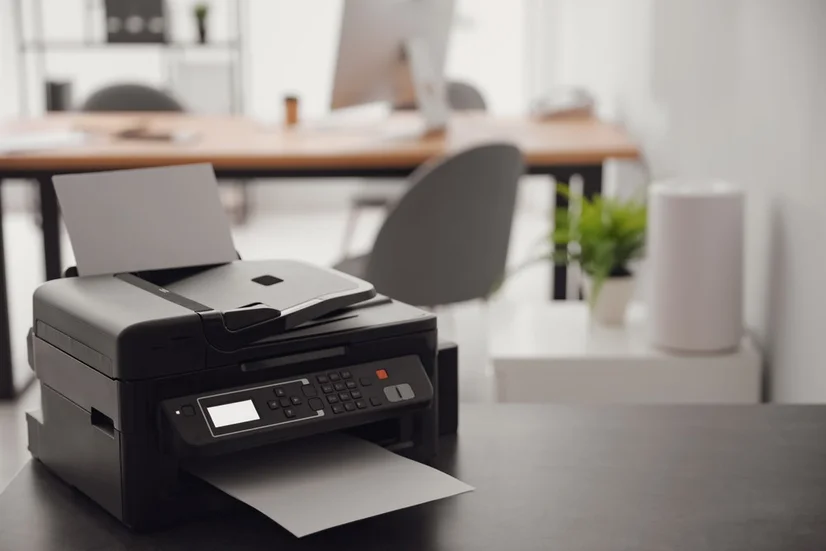
Inkjet printers spray ink droplets onto paper to create professional files or colourful pictures. The printer ink releases from cartridges that you load into the printer during set-up, and require replacement as you continue to print. Inkjet printers are the most commonly bought type of printer.
Laser printers • See all
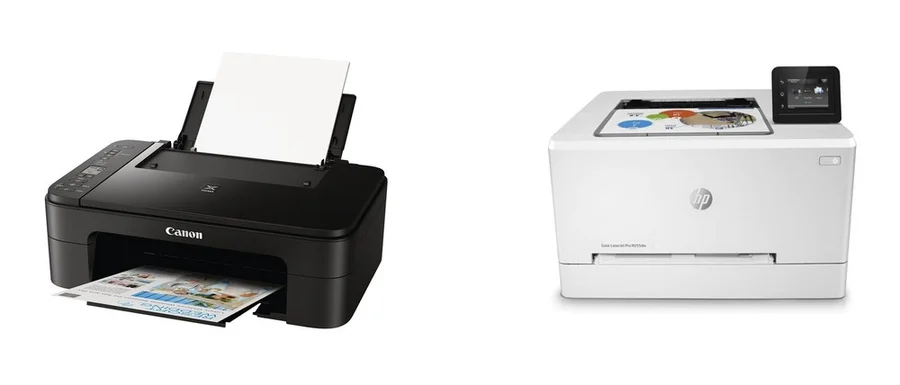
Laser printers are powered by a complex laser system that involves using static electricity and toner to print onto paper. Unlike ink, toner is powder-based. Toner contains a mixture of plastic particles, carbon, and colouring agents. Laser printers are often found in professional settings, such as offices or universities, as they are efficient at producing large volumes of printed pages, rapidly. Many people also choose to buy laser printers for their homes.
A laser printer with colour functions allows you to enjoy the benefits of scanning and printing vibrant-coloured pages while simultaneously taking advantage of the rapid, high-volume printing features of a laser printer.
If you’re keen on printing photos, it might be cheaper in the long run to print out photos yourself, instead of employing a photo printing service.
Multi-purpose printers
If you’re aiming to set up a home office, the idea of purchasing separate devices can seem overwhelming, and like a potential strain on the budget. The good news is that many home printers are multifunctional and include in-built scanners, fax machines, or copiers.
Scanners • See all
Scanners store a digital copy of your document onto your computer. You might assume a printer that offers scanning and printing features will result in a dramatic price rise, but this isn’t the case. In reality, the cheapest laser printers are also laser printers with scanners.
Copiers • See all
A copier, also known as a photocopier, creates duplicates of documents and pictures. A copier prints the words and images onto a blank piece of computer paper, but doesn’t provide a digital copy.
Fax Machines • See all
A fax machine sends documents electronically over a telecommunications network. These are declining in popularity with most opting to send emails instead, so a printer and fax machine hybrid may be harder to come by.
What to consider when buying a printer
Connectivity
Printers will generally have a USB connection that lets you connect it directly to your computer. However, some also have Wi-Fi or Bluetooth connection options.
Wi-Fi: Once you've connected your wireless printer to your home Wi-Fi, you can use any device - such as a phone, laptop, or tablet - to send a document to the printer. Often, to set up or use a Wi-Fi printer, you don't even need to be in the same room as it.
Bluetooth: A similar concept applies to a Bluetooth printer, except that a Bluetooth connection is required. You'll need to confirm the connection request on the printer before you can print your documents. It can be as simple as selecting 'accept'.
Features
Printers can have a suite of useful features that make them more convenient to use and give you more printer options.
- Duplexing: Duplex printing is automatic double-sided printing.
- Manual feed: A manual feed makes it easier to print on papers of uncommon sizes, such as envelopes.
- Optical character recognition (OCR): Some printer scanners OCR, which scans a hard-copy document to be read as a text file.
- Memory card slot: A memory card slot can let you print pictures without needing a computer or mobile device.
- Borderless printing: This is useful if you're printing images, as this can print right up to the edge of the paper.
- Poster printing: This lets you section a large file into smaller pages, so that you can join them together after printing to create a poster.
- Watermark: A watermark feature lets you print a light outline on the page without needing to edit images beforehand.
- Disc printing: Some inkjet printers have let you print on CDs and DVDs, although this requires specialty CDs and DVDs.
Ease of use
Nowadays, most printers feature an LED touch screen that makes it easier to select the printing options on offer. Some will also have troubleshooting indicators which tell you why the printer isn't working as intended, such as 'paper jam' and 'low ink'.
Price
It's not difficult to find a multi-function printer that's both efficient and inexpensive. You can find inkjet printers for as low as $50, with more higher end models costing up to $300. Laser printers will usually cost between $150 and $500.
Both mono printers will offer basic functions, including black and white printing and one-sided printing. However, your best bet is to invest a little more cash upfront; a cheap printer might seem like a tempting offer, but in reality, it's more likely to be unreliable and prone to breaking down a lot earlier than expected.
Speed
A printer's speed is measured in pages per minute (ppm). If you're expecting to be printing off many pages frequently, then look for a high ppm.
Tray size
Most printers will have a tray that can hold around 250 sheets of A4 paper. The more paper it can hold, the less often you'll have to load up the tray. Some printers will also have a second tray for different types of paper.
Ink and toner
Ink cartridges cost around $40 to $60, and last for a few months. There isn’t necessarily a printer with the lowest ink cost, as the price of ink will depend on the type you buy and how often you’re printing. Toner is more expensive but longer lasting; expect to spend a minimum of $100, but this will last up to 2 years.
Always switch to grayscale when you're not colour printing
Whether you’re using an inkjet or laser printer, remember to switch your printer back to black-only printing when you’re not using colour. Ink and toner lives are both extended when the printer is set to black-only printing. You don’t want to be in a rush to print something, only to realise that you’ve used up all of the coloured ink.
Paper
Standard printing paper is inexpensive; you can find a pack of 500 sheets for as low as $5, working out to be only 5 cents per page.