Best Mice

- See all


Fantastic mouse, but left button died after two years – I was ecstatic to find a great mouse for my iPad… it changed the ipad into a “full laptop replacement” for me. I would rate the mouse itself as… Read more
5-star, but I knocked it down to 4-star as it wore out faster than I hoped.
It worked brilliantly for two years. Then the left button started to feel “heavy”… a little harder to push, and then many clicks started to be missed. And it got progressively worse over about two weeks. Other posts indicate that the contacts start to die, or the micro-button itself starts to seize up. Not sure which.
Admittedly I did use it a lot, probably 5 hours a day, so about 3,000 hours. But I have never had a mouse die like this on me before.
I still bought a replacement one (M350s) and I hope this one lasts longer.

This is a terrible product – No Offence to Razer but after 6 months after having this mouse the scroll wheel started jittering and after 1 year of having it, it just random disconnects and then reconnects.

It's good but not the best – The only problem with his mouse is that when you scroll up , your screen sometimes may go down and when you scrolling down your screen may go up. Other than that it's a good option comparing other products.

- See all


Left click button double clicks while selecting text or drag and drop. Its a failure in click board and a very common issue. I only occasionally used… Read more
this mouse and it failed me shortly after the one year warranty window closed. Logi did not do offer a replacement. Apart from this issue, it is over priced for what it offers.

Razer Naga
Great product but bricked since Mac compatibility was removed – Great product with thoughtful key placement and solid build quality. Originally as with most Razer products Mac use was supported, now it's totally… Read more
broken and Razer has permanently removed the OSX software support - meaning no key binds are possible, no profile settings, and no lighting functions. It's been two years now, but Razer has not clearly labelled the product accordingly.

For such a simple device, this mouse ticks quite a few boxes for me: Reliable. I bought two of these, around 4-5 years ago. Both still function… Read more
perfectly, and neither have ever let me down.
Compatible. These are my "on the go" mice, and they've connected seamlessly to all sorts of systems and workstations.
Rugged. Mine have taken more than their fair share of knocks, and drops. Yet to cause any issues, despite the butterfingers.
Accurate. Not a high-octane "gamer mouse", yet it doesn't pretend to be one. Additional software from the manufacturer can almost double the DPI, but it's plenty accurate for even the most detailed office work.
Flat & Comfortable. Some folks may not like the low profile of this device, and I found it a little odd at first. Though after years of use, I've found the low profile to be much better on my wrists and hands. Especially if working long hours.
Ambidextrous, and suitable for a left-hander; no weird buttons in uncomfortable places, or missing crucial device functionality because of the design.
The only real downside to this device? Its age. While I still find the specs ample for everyday professional use, I've recently had to replace crucial parts of my home network. For one reason or another, sadly, this mouse doesn't want to play nice with my new KVM. Though I strongly suspect the KVM is to blame in this instance, it will be cheaper, and simpler, to finally upgrade these mice.
So reluctantly, I'll be looking for replacements soon. Though you can bet I'll be keeping both of these around, as they're too good to not be used.

- See all


Comfortable keyboard, That's all about it. The Worst Keyboard I've ever used. The keyboard disconnects while using and trying to connect to other PCs which doesn't exist and really frustrating. Would you buy this product again? Not for a $1 Show details

Overcomplicated to connect the keyboard and mouse, and could never connect. In the recycling bin now. waste of money. Show details

May2025. It's a cheap combo for a reason. Mouse is a bit laggy (yes I did check mouse speed etc in settings and yes the batteries are new new). Okay… Read more
to start with but the keyboard doesn't always respond/sometimes it double types. Keys are very tinny. Like I said - it's okay as a starter especially if you're not a fast typist and not looking for accuracy.

Logitech Wireless Mouse - because red goes faster? – Faster? Ok, well maybe that's debatable. Dependable? Yes. The benefits of this Logitech Red Wireless Mouse are certainly appreciated. Purchased… Read more
from Officeworks for a comparable price at $25.00 at the start of the first lockdown in 2020 and since then, I've found this little unit to be robust, ergonomic and still running on it's initial AA battery - which the manufacturer suggests will run out at approx the 18 months use. Most useful, as with most Logitech Wireless Mouses' is the design feature of a handy USB store aside the battery input into the cavity of the unit. This was purchased as a replacement to a more expensive HP Mouse & Keyboard option which didn't have this feature - and when the USB adapter was damaged the entire Mouse and Keyboard are rendered useless - expensive, wasteful and not sustainable. So this is a great option, would be better if you could also buy an additional USB in case you lost this one, but great for the price. I find that the matte red finish of the Mouse is both texturally nice to the touch as it is visually pleasing and easy to spot on my desk too. There are 3 buttons, standard Right/left and centre mecanical scroll which provides line by line scrolling and has the same matte rubber finish which is nice to the touch. As for connectivity, it is a 2.4GHz Wireless connection, and have used this mouse when documenting within Revit, and Cad with found no real issues for it's intended use. Hope that this helps if you are contemplating a purchase. We also have the same unit in Blue (I think that this is an older model - purchased via amazon) which is as good as this one.

- See all


Just what one needs for my new security systems. The Logitech M720 Triathlon works well with the Swann consoles, computer, laptop, but is NOT… Read more
compatible with Sony Bravia TVs, any of them, only PARTIALLY works on those.
That said, this Logitech M720 Triathlon mouse has excellent response time and works exceptionally well for the consoles, computer and laptop. The mouse has ONE and only ONE physical USB connector, other devices must be connected via Bluetooth.
The Logitech M720 Triathlon can control up to three devices, making it a handy proposition if you are not using them for smart TVs, especially SONY TVs.
One is however at a loss why Logitech call it a "Triathlon" when it only comes with one physical wireless USB connector? So be very aware of this when buying mice expecting to use in two devices. Other multi use USB wireless mice come with TWO USB connectors you plug in to devices, and with SWANN systems having no Bluetooth connectivity, one has to now go out and buy another one of these.
Otherwise, HIGHLY RECOMMENDED.

Love this mouse <3 – The mouse is so amazing to use. I love everything about it! I definitely suggest this to all gamers around the world. Show details

Product doesnt work how it should – The mouse wheel will not scroll, no matter what I try in the settings I downloaded the mouse and keyboard centre it didnt help at all. will be… Read more
boycotting all microsoft harware from now on.. its a shame because the keyboard design is quite nice. however some buttons are assigned to the wron key .

I usually use a Logitech Performance MX 3 mouse which I left at a site forcing me to get a replacement. I settled on the G502 X based on the reviews… Read more
I have been reading saying it was great. The mouse looks really cool with it changeable lights and assignable keys, so overall a very versatile in the options that it presents as a mouse. The set up was easy as it comes with a radio receiver but Does Not have Bluetooth capability so I had to use one of my USB ports for the wireless receiver. It also means I now have a piece sticking out the side of my laptop that gets caught on everything and generally being a nuisance. The mouse is very angular, and compared to the Performance MX, uncomfortable to operate after a while and doesn't have a natural feel to it. After two hours the angular features start to bite into your hand if you have previously use a more smoother mouse. Changing over may be difficult. You will have to fiddle around with the mouse setting as this is a mouse behaves as though it has had Nitro boost added, it is fast, precise, jittery and latches on to every window it passes accidentally dragging them to a new location or closing them. It will take some time to set it up to get it behave smoothly. There should be a dumb preset to slow it down. This might be great for gaming, but its rubbish for office work or mobile working due to the reckless nature of it darting around and the receiver hanging out of a port. Pros: Very lightweight, assignable buttons, rechargeable vis USB-C, has a lightshow, accurate and fast. Cons: Uncomfortable after a while, jittery, expensive, no Bluetooth (Why?). I'm busy hunting for a spare MX 3. This G502X is going back on the shelf or I'll give it away.

Been using it for about two weeks, overall it’s annoying – The mouse struggles with precise movements and sometimes doesn’t register that you’ve moved the mouse slightly. Just try clicking links or dragging… Read more
and dropping something. Tedious.
You cannot rest your index finger on the left side of the mouse (left click area) and try to right click with your other finger on the right side, this is because it will register it as a left click since you’re already touching the touchpad. This causes you to open links you didn’t want to often when all you wanted to do is open the right click menu. Frustrating.
There is no native middle click, you require software to be installed to middle click by using three fingers to press down. Absurd.
The idea is cool but they’ve failed at implementing it to replace a classic mouse. Not worth the hassle, will be returning.

It is a good mouse, however i have had issues after just 1.5 year with the scroll wheel. Logitech support was not very helpful and very slow to answer. To get a replacment you will have to go through multiple people and E-mails its very frustrating. Show details

Comfortable, Stylish Keyboard – I bought the Microsoft Wireless Sculpt Ergonomic Desktop Keyboard & Mouse to fix the pain I was getting in my arm and wrist - and it worked! The… Read more
keyboard is gently angled, and has a soft wrist support. The keys have a nice spring to them. The mouse is nicely rounded, very easy and comfortable to hold - much better than the 'pinch' ones.
The only negative comment I have to make is that the T and N keys have rubbed off quite quickly - lol, I must use them a lot! Also, for goodness sake don't lose the usb connector, they cost as much to replace as the keyboard and mouse!
Overall I highly recommend this setup, it's reasonably priced and is definitely worth it to relieve any arm or wrist pain you might be having.

Perfect gift – The keyboard works great and hasn't gotten damaged even though my friend travels with it. Great product and i will be getting more for my other friends. Overall, great company. Show details

- See all


Absolute crap - don't waste your money – The only reason I am giving this product one star is that I can't give it a zero. On wireless keyboard keeps activating the search on a variety of… Read more
web browsers (Chrome, Firefox & AVG), which makes typing all but impossible. I'm able to type a few characters (sometimes a whole word if I'm exceptionally lucky) before the search function activates and I have to spend the next minute, or thereabouts, cancelling and escaping before I can type the next couple of characters before the search function activates, rinse and repeat.
I used three different web browsers, all with the same result, and now I'm using a different keyboard with a problem (hence I can actually write this review), and this infuriating pile of crap masquerading as a wireless keyboard and mouse are where they belong - the bin.
Do your self a favour, don't waste your money on this awful product.

MX Ergo is fantastic – For people who have limited space / foot print on their desk / workspace the MX Ergo is a game changer. It takes a little bit of getting use to not… Read more
needing to move your hand, the MX Ergo is controlled by your thumb and finger which means that there is less stress on your wrist, there is no sliding it in any direction to find you hit paperwork or run off the mouse pad or that you have a glass top desk. the MX Ergo will work on any surface including sitting on your all your paperwork.

Good mouse, but no longevity – I was initially really impressed with this mouse. Lots of functions and worked really well - for about 6 months. Then the main sensor failed so, no… Read more
more movement. A good, cheap option for gaming, but don’t expect it too last too long under heavy usage.

Logitech G502
Disappointing - OK mouse let down by flawed middle button – It's a reasonable upgrade from its predecessor but has a couple of design flaws. First, the mouse wheel doesn't have a lot of grip - OK for the most… Read more
part but on very dry days it could do with slightly more grip. Secondly, the mouse wheel 'left' side button doesn't have as much surface area as the right side mouse wheel button. This is because the regular left mouse button (1) is slightly higher than the regular right mouse button (2). So, your left index finger (1 - left mouse click) is positioned higher than your middle finger (2 - right mouse click). Trying to engage the left side mouse wheel button usually results in the actual mouse wheel button (button 3) engaging. This is extremely annoying in the heat of an action game, and consequently isn't useful - probably no big deal for something like an RTS or RPG, but in a fast paced action game it's really bad.
Otherwise software is good and response times & accuracy seem pretty good too.

Unreliable and Disappointing – At first the mouse worked well. However, after about four months, it stopped working reliably. I tried reinstalling and researched advice without success. I don't recommend this mouse if you need reliable office equipment. Show details

- See all


Excellent mouse for 2 years office use, then the left button started missing clicks requiring harder presses. The mouse wheel is fantastic but i… Read more
hardly use it and it doesn't scroll left and right in Excel.
Battery life is excellent. Ergonomics is perfect for my smaller hands. Tracking is above average but not good on reflective glossy surfaces.
There are 4 extra buttons which need the new Logi Options+ software. The software is unstable and keeps failing requiring manual termination and restarting so the buttons work again. It also needs frequent updates so i don't like it. Going back to simpler Logitech and Microsoft mice.
I also use it with the rather expensive MX Keys keyboard which i love but is let down by this software.

Considering the price I paid for this set, the keyboard typed quite comfortably. The mouse was also quite comfortable to use, but stopped working… Read more
only 2 days after purchase.
Unfortunately the keyboard stopped working after one of the kids spilled cordial through it; definitely not water resistant, but most keyboards aren’t.
I would buy another set just for the keyboard though, if I see them again for a low price. I used them with a Mac.

I game, a lot. I have a preference toward driving and flying, but platformers and the like are always good. But like most gamers, I have a great… Read more
affinity toward First Person Shooters. The issue, holding your arm in the unnatural 'twisted' at the forearm leads to soreness, even carpal tunnel and RSI. I could use a gaming controller, but that takes away from the keyboard use, most prefer when gaming on PC. The solution was an advertisement online.
Enter the Ragnok Ergostrike 7 Gun Mouse review. Today I have a special treat for all you gamers out there. I am going to take an in-depth look at one of the most innovative and ergonomic mice on the market: The Ragnok Ergostrike 7 Gun Mouse. This mouse is designed specifically for First Person Shooter games, offering a natural feel that will enhance your gaming experience. But don't worry, if you are not into FPS games, this mouse can still cater to all your needs with its programmable buttons and customizable settings. So, let's dive right in and see what makes the Ragnok Ergostrike 7 Gun Mouse so special.
The first thing that catches your eye when you lay eyes on the Ragnok Ergostrike 7 Gun Mouse is its design. It looks like a gun, with a sleek black body and a textured grip that resembles the barrel of a rifle. The mouse has a large base that supports your hand, giving it stability and preventing any accidental movements. This design not only makes the mouse visually appealing but also ensures comfort during long gaming sessions.
The Ragnok Ergostrike 7 Gun Mouse features 12 programmable buttons, allowing you to customize each one according to your preferences and game requirements. You can assign different functions to each button, such as changing weapon settings, executing commands, or accessing inventory menus. This level of control gives you an edge over your opponents in competitive games, where every second counts.
One of the most impressive features of this mouse is its ergonomics. The Ragnok Ergostrike 7 Gun Mouse has been designed to fit comfortably in your hand and allow for smooth movements across the surface. This ensures that you can make quick and precise shots, whether you are playing a first-person shooter or any other game that requires accurate aiming.
The mouse also features an optical sensor that tracks your movements with high precision and sensitivity. The sensor has a resolution of 1200 dpi, which means it can detect even the slightest changes in direction. This is especially useful for FPS games where you need to react quickly to enemy movements and environmental cues.
Another great feature of this mouse is its durability. The Ragnok Ergostrike 7 Gun Mouse has been built with high-quality materials that can withstand heavy use without wearing out. This means that you don't have to worry about the mouse breaking down or malfunctioning during important moments in your games.
With the added ability to turn on or off, a 'recoil' feature, that gives excellent haptic feedback. This feature offers the off position, then a semi automatic (pull the trigger for each shot), then of course, there is level 2, which offers the full automatic firing option, ie: hold it in and it keeps shooting, at least until you run out of bullets.
This is a great features, that I personally enjoy. Being a former soldier, yeah, I like to know when i fire a shot.
Options are the preference for gamers. We love options. The Ragnok Ergostrike 7, gives you options. Connecting to your gaming computer is easy. You can go wired, with the provided high quality USB cable. Or for the wireless choices, yes there is more than one. You can use the provided USB dongle, for a 2.4Ghz connection. Or if you are like me and look for simple, Bluetooth.
The only minor drawback of this mouse is its price, which may be considered a tad steep for some gamers. However, considering all the features and benefits it offers, I believe that the Ragnok Ergostrike 7 Gun Mouse is worth every cent. It's a must-have accessory for any serious gamer who wants to take their gameplay to the next level. I did find mine on AliExpress for a lot cheaper than retail and it came in a full retail package, very well protected.
In conclusion, the Ragnok Ergostrike 7 Gun Mouse is an exceptional product that combines style, functionality, and performance in one package. Its innovative design, programmable buttons, ergonomics, optical sensor, and durability make it a top choice for FPS gamers and anyone who wants to improve their gaming experience. So, if you are looking for a mouse that can enhance your skills and give you an edge over the competition, look no further than the Ragnok Ergostrike 7 Gun Mouse.

Competitively priced among mice offering similar qualities and capabilities – The Logitech G PRO X Superlight 2 is a standout gaming mouse renowned for its featherweight design and exceptional performance. Weighing just 58… Read more
grams, it offers swift movements and precise aiming, ideal for competitive gamers. Its sleek, ambidextrous design ensures comfort, while the wireless connectivity delivers lag-free responsiveness. However, its premium price and lack of customizable weights might deter some users. Overall, it's a top choice for those prioritizing precision and agility in gaming.

Excellent home/office Wired mouse – Another quality product from Dell and this is Dell Laser Wired Mouse,it works very fast and fits in my hand well, its very ergonomic mouse, its very solid and well constructed and not like cheap ordinary mouse.
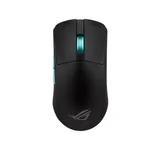
Great solid mouse that is very light. The finish is matte so the texture doesn't feel to slippery. Highly recommend it to anyone looking for a replacement to the logitech G pro range.
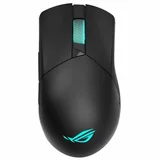
Amazing Gaming Mouse – Amazing mouse. Greats build quality and performance, moving smoothly and very easy to use, plus very good RGB effects, long battery life. Best mouse for ROG builds, can't play games without it.
my MX master 2s is still working after 6 years of daily use.