Best Portable / External Hard Drives

- See all


Fine one day Gone the next – I inherited this from my Dad and it worked long enough to transfer his data to 2 separate drives that are not kept in the same location. I opened it… Read more
up and the drive was fine, the board was gone so I can still access the data which makes the obligatory 3 separate backups for critical data. This system is almost bomb proof.

- See all


Fast, Affordable and Reliable – Could not ask for more out of a portable SSD, Samsung have done a really good job with this little unit. It's small but packs a punch and is fast as… Read more
hell, even quicker than my Intel internal SSD.
Overall I was so happy with the performance I ended up purchasing a second one, can't speak highly enough of this product, very happy customer.

Ideal product – I needed to back up photos from my phone as I was out of storage. This product really helped me and was really easy to use Show details

First And Last – I've owned 2 Toshiba laptops in the past and thought they were rock solid. While I'd normally gravitate towards Seagate drives, I couldn't go past… Read more
these 2TB drives at under $100. They were cheaper than their Seagate competitor drives so I thought I'd give one a whirl. Plugged it in and everything seemed to be running well and as expected. However, after copying over movie files and taking them to the living room TV to plug it in, the cord accidentally fell out of my hand and the drive crashed onto the TV unit. Not a great fall by any means. I've had Seagate drives bounce off the floor numerous times and still worked. This guy on the other hand just clicked when plugged back in. Not much you can do except throw it away and get a new one. I guess you get what you pay for. I didn't even take it apart, but I'd so there's bugger all vibration cushioning in the case All up, I only had it for a week and wasn't real impressed that it couldn't take a little bump. So that will be the first and last Toshiba drive for me.

It is still working after 9 years – I bought one of these units in 2011. The disk died after about 5 years. Using instructions found on YouTube, I open the case and replaced the disk… Read more
and it is still working. The only issue I had was that it conflicted with a NAS. I don't normally write positive reviews but my recent experience with Seagate exceeded all my expectations.

On Friday 13th October 2023 I purchased this from JW Computers so I could put heaps of Documents, Photos and Videos on it using my iMac and my iMac… Read more
Business. On Thursday 6th March 2025 the hard drive failed so I had to get it replaced by Western Digital so I would definitely avoid buying this hard drive.

Every single one of these I've owned has stopped functioning after 2 years. Will never buy another. Avoid these.

- See all


Like and use Y-Disk – I have used Y disk personally and it has work as intended. Transferring photos is simple as can be. Very pleased.

You'll lose all your data – Hardware broke, got into the drive to find the files are encrypted with no way to easily read the data. Western Digital don't seem to care, they list Recovery Partners on their website that are all based overseas Show details

All good .. and looks good too – The Samsung Portable SSD T7 (2TB) comes as a colourful, svelte package. It has the same width and depth as a credit card, but a bit thicker. It comes… Read more
in impressive (over)packaging. It comes with two cables, thus allowing it to connect to either USB-A or USB-C ports. The instruction manual requires a strong magnifying glass to read. As below, it is a genuine 2TB capacity (the slightly lower number shown in the attached image is due to the space taken up by formatting). As per the image, its read/write speed is at least 300MB/sec on my elderly laptop, so its claimed speed of three times that is quite possible.
Background …
I bought the 2TB Samsung T7, based on the coming together of multiple factors.
I’m finally upgrading from my elderly 17” laptop to a smaller 13” one, which comes with only a small (for Windows) internal SSD (and USB-C/Thunderbolt ports). I have a Thunderbolt hub to connect to a larger monitor, so it made sense to buy a high-capacity external drive to move the data across then leave hooked into the hub. The T7 started appearing in my searches from a number of sites, with significant discounting having finally started (maybe a T8 is on the way?).
Samsung is a reputable brand (with a couple of exceptions – but the all brands seem to have their disasters). I found a heavily discounted one on eBay from a site with lots of positive reviews. So (belt-and-braces) I ordered it from eBay via PayPal in the knowledge that both had repaid me in the past for failed transactions.
Checking for fake?
There are numerous high-capacity drives supposedly available cheaper from eBay, Amazon etc. There are also lots of horror stories of beautifully designed and packaged fakes. Apparently the fakes includes a small’ish (say 64GB) chip and circuitry that lies abut its size, overwrites anything beyond the chip’s size while maintaining a directory claiming to still have the files. So the fake is going to appear to work correctly as a genuine 2TB SSD for Windows File Explorer or similar tools.
To check that I did have a genuine 2TB, I downloaded a free utility H2testw. This works by filling the drive with 1MB files then reading them back, confirming that each is the same file that it wrote.
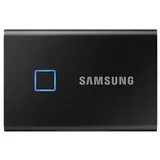
Backup Drive. Very Fast and dependable – I needed a backup drive for my Apple Macbook Pro. I already own some T5 usb SSD samsung drives, so I purchased the T7 series in a 500GB . This drive… Read more
has never let me down and is very fast and reliable. The box contains a USB-C to C and a USB-C to A connecting cables.

Rubbish – Had three of these drives. Only used every other week to back up. Each one died after 2 years. Total rubbish.

50% Failure Rate! – Over a period of about 5 years, I have purchased 4 x 1TB WD Elements external hard drives for backups. I was motivated by the competitive price and… Read more
the availability at OfficeWorks, and the fact that Western Digital was once a respected brand. Two of my WD Elements have failed. My misfortune with WD Elements external HDDs is a 50% failure rate, which equates to about $150 flushed down the S-bend so far, not to mention the lost data. And I am not confident for the remaining two. I have also purchased Seagate and Toshiba USB external HDDs and they haven't failed (yet).
My experience with WD portable USB powered HDDs has been an unhappy one and I will never purchase another one again if a different brand is available.

Jus to hard – this system is so hard to set up and has not real instructions, NOT user friendly. Do not buy

Faster than I expected for a HDD – I needed a portable external hard drive to do a Windows system image back up. The previous year I changed the old internal HDD 900GB to SSD 2TB and I… Read more
thought it was overdue for a backup. I had 1.2TB to back up. First looked at an SSD but was 3 times the price of a HDD. So I settled on a Seagate One Touch 4TB in Space Grey colour.
The trap for young players is that it is formatted in exFat. Windows will only to system image back up if the drive is NTFS so I quickly copied the small amount of files on the new HDD and proceed to do a quick disk format in NTFS.
My estimates was the write speed sat around the 125Mbp/s mark, which was comparable to a big old 3.5" Seagate Desktop External HDD I had. My old laptop HDD which is now in a portable enclosure only manages about 112Mbp/s so was a noticeable improvement. Took about 3 hours to back up 1.2TB off the internal SSD.
I did do a speed test with a small 250GB external SSD which clocked 280Mbp/s. I'm not doing full image backups and restores everyday so I will stick with this HDD solution for a few years yet.

Cheap USB 3.0 Micro SD card adapter (Rated for 170MB/S Sequential Read, 90MB/S Sequential Write) - So while this doesn't do everything I wanted, it… Read more
is cheap and it does beat other more expensive sd card readers. I did not give this 5 stars as I was hoping (and actually assuming) that this reader would be able to would match SanDisk's own sd card speeds but while it can cope with Sandisk Ultra Speeds it can't reach the SanDisk Extreme (or Extreme Pro) speeds. (Though it is still compatible!)
What I like ------------ * Size - It is small and does not have multiple other readers I will never use * Cheap - It was $15 at time of writing * Speed - While not as fast as I would have liked it is quicker than my computers existing sd card reader * Compared - When compared to a similarly priced UGreen USB 3.0 SD card reader it is about the same speed. (See CrystalDiskMark check) * Quoted speeds - My general experience with SanDisk is that the actual achievable speeds are generally 10MB/s better than the Quoted speeds. (Presumably so it averages out)
What I don't like ------------------ * Published specs - To find out the rated Read speed you have to look at the back of the product! (Picture provided below) * Write speeds - The maximum write speeds seem to be so considerably and I don't understand why. I can understand why the SD card it's self has limited write speed but not why the adapter should be a bottle neck. * Non-sequential speeds - Not published * Storage - It does not have a keyring loop so this sucker is going to get lost! * Small print - I don't like that important info is only available on the back of the product in ultra small print!
Specs - Published on packaging in ultra small print! ------- * Name: SanDisk MobileMate USB 3.0 Reader * Model: SDDR-B531-GN6NN * Interfaces: USB3.0, USB2 , microSD, microSDHC, microSDXC. (USB type A port required) * Max sequential speeds: Read 170MB/s , Write 90MB/s (Note: SanDisk seems to allow +10MB/s for error) * OS compatibility: Window 7+, macOS X v10.6+, Linux Kernel 2.6+ (Note: Linux and Windows 11 not mentioned on packaging but it works!) * Warranty: 2Years * Recycled materials: packaging contains 20% recycled materials * Barcodes: UPC 619659169039, Internal Code P001-003748 * Certifications: CE, FCC, EAC, UKCA certified * SD compatibility: Compatible with the SD-3C standard (which covers microSD family) * Country of manufacture: Made in China * Parent company: Western Digital
My use case -------------- I brought this because I have just brought a couple of SanDisk Extreme Micro SD cards for my Raspberry Pis (A low power credit card sized computer) and I wanted to test them at full speed. I thought being USB3.0 and SanDisk that it would be able to cope with the SanDisk Extreme range of SD cards. I should have looked at the advert more closely. Also why are the write speeds are only published in really tiny print on the back of the pack and not included in the online specs?!

WD Elements Desktop 12TB External Hard Drive, good storage! – Not a bad storage device, cheap and quick enough to do the job. Best thing is it does not suck power from your computer, has it's own power supply! … Read more
Have included specs below.
Overview
WD Elements™ desktop storage with USB 3.0 offers reliable, high-capacity, add-on storage, fast data transfer rates and universal connectivity.
Key Features
USB 3.0 and USB 2.0 compatibility With this single drive you get compatibility with the latest USB 3.0 devices and backward compatibility with USB 2.0 devices as well.
Fast transfer rates When connected to a USB 3.0 port, WD Elements desktop storage delivers fast data transfer rates.
Improve PC performance When your internal hard drive is almost full your PC slows down. Don’t delete files. Free up space on your internal hard drive by transferring files to your WD Elements desktop storage and get your computer moving again.
High capacity in a sleek design WD Elements desktop storage is the ideal solution for easy, add-on storage of all your important photos, music, videos and files.
WD quality inside and out We know your data is important to you. So we build the drive inside to our demanding requirements for durability, shock tolerance, and long-term reliability. Then we protect the drive with a durable enclosure designed for style and protection.
Formatted for Windows® Formatted NTFS and compatible with Windows 10, Windows 8.1, Windows 7. Can be reformatted for Mac®.

Terrible product and they don't bother to replace items under warranty – I have gone through 3 of these external hard drives in the last 2-3 years. At first they worked well but the last two have died within the warranty… Read more
period. First one I managed to save the data myself 2nd one I sent to them to repair it. I waited a month to be told my data is not saveable and if it was still under warranty the would send me a replacement. Never received a replacement despite having conversations with the customer service team before sending it off that it was under warranty still and they would send me a new one. I will never purchase seagate products again.

Tested and Confirmed. The 1TB Sandisk Portable SSD is actually a 500GB SSD. Show details

I bought 3 of these on Black Friday Sales from Amazon, and noticed that the USB-C female ports on all of then a buried a bit deep in the casing. The… Read more
connection is not very good, but at the time I needed the SSD storage and never thought to return them straight away. The connections now are hit and miss, even on super expensive cables, so I concluded that the SSDs were fake/counterfeit, or made by a third party at low cost. I tried the Samsung Magician software, but that is not mounting any drive. I have spent a number of hours and days on the problem, and conclude that these were a bad purchase. I have a T9 which is a better connection, but trying to get help from Samsung has been fruitless-they simply defer to the Samsung Magician software, as do the Reddit crowd. I have lost all confidence in Samsung storage, and will be migrating at great expense to Lenovo. Other evidence is the Serial Number and QR code on the casing-none of which are of any use. Samsung have no way of checking the SN. The QR code is bogus, and does not register on my iPhone reader. All a bit disconcerting, since we entrust our valuable files to that company. A tough pill to swallow since I went all in with Samsung SSD over other brands.sam

Failed after 2 years – Difficult to set up using supplied software. Had to have a computer technician set up for me. Unit TOTALLY Failed without warning, after 2 years of use. Files were not retrievable....NOT HAPPY Show details

Avoid at all costs – When the software was supported it constantly disconnected from network. Now WD have removed support for a desktop app so you cant even access your… Read more
data. I've wasted hours trying to get access via smb. Never again, WD is an absolute joke with these products and software.

Spent over 5 days copying data onto this brand new external hard drive, then after restarting iMac the hard drive was suddenly empty, completely… Read more
erased. Shutting down the computer & unplugging all cables then restarting didn't achieve anything, ran disc first aid on it with no errors reported. Will be returning to the store & buying a SSD but definitely staying away from Seagate, this isnt the first time ive had a seagate hard drive fail, all the data gone.

LaCie Rugged
5TB died too soon - immediately after warranty period – I have owned both the 4TB and the 5TB versions of this drive. The 4TB lasted 4-5 years, which I find acceptable. The 5TB died exactly 1 month after the warranty expired, which I find completely unacceptable. This is not really a "rugged" drive. Show details
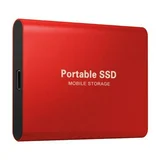
M.2 Portable SSD 8TB

THREE different drives caused catastrophic error, requiring recovery - FOUR times! – Avoid this if you value your data. CANVIO ADVANCED too?: This may also apply to the more expensive Canvio ADVANCED range, because when I looked up… Read more
the serial number (MQ04UBD200) of these drives via CrystalDisk Info, that is what came up. (In other words, they could be the same drive INTERNALLY despite what you think you are buying). But I know I bought the Basics model because I have the receipts for all three.
Over the last year, four times the drives became UNREADABLE. This happened on three DIFFERENT drives (one drive it happened TWICE!)
The Master File Table (MFT) became corrupted.
I had to use TESTDISK (free) to recover the MFT three times.
The other time, there wasn't even a backed up MFT and I had to recover my MOST IMPORTANT DRIVE file-by-file (using the excellent File Scavenger). It took me WEEKS to make sure I had everything and I'm still not sure.
All of these times except the latest did NOT involve a loss of power. (And that includes the worst one just mentioned).
It just suddenly gave the infamous error: ""Delayed Write Failed : Windows was unable to save all the data for the file X:\$Mft. The data has been lost. This error may be caused by a failure of your computer hardware or network connection. Please try to save this file elsewhere.”
Next thing: the drive either disappears from Explorer completely, or when you open it, all you see is the recycle bin and none of your files are there.
I'm really disgusted about this and will never buy Toshiba again. I hope for the day a trustworthy company makes large SSDs.

Do not waste money – The disk freezes the whole computer. the computer sees it but after a while nothing can be done

Junk. Don’t buy – Junk. Software is terrible. Drive is about 6 months old and totally unreliable. Doesn’t back up in any useful manner. Now it has an annoying beep… Read more
which is a very common problem. Yet they are still selling them. I should have known better. I’ve had trouble with WD and Sandisk products before (same company)

After years of reliable service from my DS220+, the Synology DS223 felt like a disappointing downgrade. Despite being marketed on Synology’s website… Read more
as their current 2-bay NAS, the DS223 is classified as an entry-level device—and unfortunately, it shows.
✅ What Made the DS220+ Stand Out Active Backup for Business was the game-changer. This powerful backup solution could restore entire systems after a crash, and I’ve used it successfully multiple times with impressive results. The DS220+ handled it with ease, making it one of the best investments I’ve made.
❌ Where the DS223 Falls Short
Missing Key Features: No support for Active Backup for Business, which is a major omission.
File System Limitations: The DS223 defaults to EXT4, which restricts how you can interact with backup files.
Value Comparison: While the DS223 is about 20% cheaper than the DS224+, its effectiveness feels closer to 50% less.
Second-Hand Market Tells the Story: Plenty of DS223 units available, yet you’ll struggle to find a DS220+ or DS224+—a telling sign of user satisfaction.
⚠️ A Word of Caution on Model Variants If you're browsing Synology’s range, avoid models ending in “J.” These entry-grade versions have even fewer capabilities than the DS223 and aren't suited to power users or serious backup needs.