Best GPS Navigation Systems

Garmin DriveSmart 51 / 61 LMT-S
- Price (RRP) $279
- Screen Size 5" and 6"
- Battery Life1 hours
Gets confused with intense road layouts. doesn't recognisestreets thet ate 5 years old.... utter pile of junk and dangerousin an emergency because ut cant even get you to the hospital. Show details

Navman MY670LMT
- Screen Size 6"
For the eyes of Navman MY670LMT, Good bye Navman! – I purchased a Navman MY670LMT in 2018 and paid extra for the extended warranty that expired last year. Initially, it served its navigation purpose… Read more
well, but not long after that, several issues emerged. The screen became unresponsive, slow response time, loading was sluggish, and the operating system was problematic. Additionally, the unit would occasionally switch off, presumably due to a weak or small battery.
Throughout the years, I hoped that updating the unit with the latest software would resolve these problems. However, in early 2023, the screen became permanently unresponsive, and when it unexpectedly worked, it would freeze up again after another touch.
I've already tried the following solutions to resolve the issue, but none of them worked: - Installed the latest update. - Fully charged it overnight (the green light indicated a full charge). - Performed a hard reset (by poking it). - Attempted a Smart System Recovery.
Navman's service department is asking for $90 to repair it, even though the machine is still relatively new.
Anyway, I believe it's time to consider a new navigator and give their competitors a chance.

Navman Move70LM
- Screen Size 5"
NOT WHAT MEETS THE EYE!!! DO NOT BUY THIS DEVICE! Bought a Move70LM not realising that the MAPS CANNOT BE UPDATED - despite the "lifetime" guarantee… Read more
(which was what caused me to buy the device in the first place). Wish I had checked first. DO NOT BUY THIS DEVICE OR ANY OLDER DEVICES BECAUSE NAVMAN WON'T SUPPORT ONGOING MAP UPDATES AND MISLEAD WHEN IT COMES TO THE DEFINITION OF "LIFETIME"!

Navman MY560LMT
A good all use GPS – I have been using this 5inch box as all use GPS , and it's working pretty well. Able to update MAPS, FW and also can add a SD card to play with

Navman Drive DUO SUV
- Price (RRP) $479
- Screen Size 6"
Won't switch on – My Navman Drive Duo Suv has stopped working. it was getting more and more difficult to switch it on and now it switches on for a couple of seconds then dies. I am assuming it is the battery but advice needed. Show details

Navman CRUISE550MT
- Price (RRP) $179
- Screen Size 5"
Home Address Missing Every Time I Start My Car – Every time I start my car, NAV starts with the 'agreement' page and 'SAFE DRIVING' page. All go well then except the 'Home address' is wiped blank.… Read more
It was not the case in my previous MY400LMT or S50, they went straight to maps or main menu with 'home address' in the memory.

Navman MY660LMT
Money well spent – Over many years, I have owned a few different brands and models of GPS's including built in units. After a disastrous experience with one, I decided… Read more
to try a Navman MY660LMT as they were on special at that time. Right from the first time I was impressed with this unit. Now, after six years of usage I am even more impressed with the unit and the service by Navman. Cannot ever remember being given wrong directions, whether in the city or heading out into rural areas, it is comforting in its directions. The ability to choose the route that suits you from the selection offered is a great feature. Have never been let down with a No GPS warning, the free update of maps every six months is invaluable. Real time traffic warnings is also very handy.

Navman Move85LM
Good and bad – Dragged the unit out after some time sitting idle and ran a map update before a 3800 km trip to Auckland. Told maps were up to date but the unit was… Read more
caught out at least twice in the North Island, once by the new Transmission Gully road out of Wellington and again by a new expressway tunnel in Auckland. Coming out of Wellington in the dark on a wet night with NavMan telling me to do a U turn on a four lane motorway wasn't a high point. Most of the time the unit still works well and we always got to the intended destination even when I didn't always agree with it's chosen route. For longer distance trips it would be nice to be able to chose a route via specific towns rather than the alternate one NavMan picks. The unit can be a little slow in reorientation after an incorrect turn which can cause some frustration in busy traffic . Can't comment on battery life as I always have it plugged in via the lighter outlet. It has always stayed in place for days at a time while travelling and I do find the screen easy to read. The interface does feel a bit dated and clunky. All in all though the unit has more than repaid it's cost over the last couple of years. If the maps were current I'd give a higher rating.

Garmin Drive 51LM / 61LM
- Price (RRP) $179 to $229
- Screen Size 5" and 6"
- Battery Life1 hours
Reliable GPS and only a little disappointed – I’ve only ever had one other GPS unit – a Mio Digiwalker and been impressed with it for about the 7 years I had it. In the end the Mio couldn’t find… Read more
any satellites. Hence my need for a new GPS. I gave a good report on it on this site when I bought it; other people didn’t like the unit. Based on my experience I would happily have bought another new Mio, but they don’t seem to be available in Australian shops anymore. I went for it because Choice gave it a good wrap. I could have bought one on line, but I needed a replacement quickly. I bought a Garmin Drive 61 LM.
I'm still learning to use the Garmin, but I miss my old Mio. But the Garmin works and gets me from A to B. People on Whirlpool suggested not using a GPS unit and advocated phone use. I actually tried this, but the Maps app on the phone was all over the place and continually lost the satellite. Perhaps I have a cheap phone. First experience of the Garmin out of the box: I got the 6 inch model. It’s much bigger than my old Mio. Which is really nice. Only very basic instructions were provided. Normally, buying new electronic stuff the instruction booklet advise putting it on charge for a huge number of hours before use. With no 240v charger that wasn’t possible. Anyway, the instructions didn’t ask for that to be done. The support bracket was in two parts. I pushed one part into the GPS. That was difficult, then clunk it was in place. I don’t think it’ll ever come out. I pushed the swivel into the first part. That was also difficult. I watched the GPS plastic frame bend as I pushed. I thought I was going to break something. Clunk. I didn’t think that was ever coming apart either, but it did when I tried to adjust it on the windscreen one day and it fell apart on me. Perhaps it would have been easier had I assembled the bracket in a different order. Into the car for a quick test. I wondered how I’d go with no instructions to guide me. However, using it was so simple I wonder if I actually needed any instructions. I went to the Garmin web site later and printed off the user manual. Always good to have. The female voice on the GPS is easy to understand. I clicked around with the setup options. All very straightforward. I’m so pleased that I can set it to avoid toll roads. I can also avoid other areas. Though I’m not sure why you’d want that, except maybe to avoid the risk of driving past the ex should they spot you on the way past. Then when I hopped into the car a few hours later it was dusk and it had flicked into night mode, which was nice. It also flicks to night mode in tunnels. I found it a bit slow in responding to my commands. It often takes two or more taps of the same key to acknowledge it. When I slowed down my finger taps a bit it was better. I loved my Mio but hated how you had to enter the suburb or town first, then the street. What if you didn’t know or couldn’t remember the suburb. The Garmin allows suburb or street name to be entered first up, which is a much better arrangement. I found it peculiar to be at an ordinary two-road intersection where my route was straight ahead and on occasion it said “take the second exit.” The Mio in the same situation would say “continue straight” which I think is more intuitive. The map shows roundabouts smaller than I’d prefer but I’m being picky. It switches off by itself after a few seconds when it been unplugged from the cig lighter. A few things the Garmin doesn’t do, that I found very useful with my old Mio, was providing additional display information. The Mio could show the map in full screen, or you could split the screen with the map on the left and a portion to the right displaying other things. The other things you could see included a list of the streets, distances to them, and turn direction that you would navigate to get to your destination, or you could see a list of POIs that you were approaching, distance, direction to them (eg petrol stations etc), current time, destination time, elapsed time etc. It was very useful to know your next couple of turns well ahead so that you could ensure you were in the best lane. This GPS doesn’t seem to do that so well. And you could shift the map from 3D, 2D, or aerial view at any scale you chose with Mio. There are options with the Garmin but not as good as the Mio. The Mio would also allow you to add your own POI as you drove (eg. new speed cameras etc). That was very useful. The First Few Weeks The windscreen mount knuckle joint has less movement than I would like and when pushed to its limit tends to disengage and fall off. It adhered to the windscreen okay the first time I used it. However, the second time it kept falling off. I may have some dust on the rubber. My old Mia mount fell off far less often, even when old. It may be a combination of a dirty rubber mount as noted, an inferior suction clamp, different angle on the windscreen, or the Garmin being heavier (I have the 6” model). It should stick to any windscreen and stay there. I finally worked out how to disconnect the GPS from the mount. I suggest you study the mechanism before you clip it in. To make it easier on yourself later. The touch screen doesn’t respond as well as I’d like. I find myself tapping away at a button and having the thing ignore me. That's annoying. If I keep on tapping it gets it in the end. I’ve yet to work out how to overcome this. Perhaps I’m being too quick for it. I really don't know. In using the map I found that sometimes I’d touch the screen and drag and sure enough the map moves, but sometimes it moved in the opposite direction. It didn’t do this very often, but, hey, enough times for me to note it here. I've also found that when I drag my finger across the screen to shift the view of the map that the display ignores me and increases the level of zoom on the map instead. Annoying. At lest the + or - buttons always behave correctly. I’ve gone and got the map stuck with north on top of the screen and don’t know how to get it back to a 3D image. I know that’s my fault, but the solution isn’t intuitive. It has a warning about ‘bends’ in the road. It would flag some that didn’t need a warning and miss others that were particularly tight and didn’t warn me. I’m not sure this is much of a feature, even if it worked better. There are road signs on the highway to tell you that sort of thing. I like the way it switches off automatically when the power is cut to it. The device notes that when you plug the USB cable into your computer that it isn’t going to charge the battery. Someone else on this site made that comment too. Actually, it does charge the battery from the laptop, but takes ages. Maybe a day and night, but you do get a charge in there. It picks up dirt walking paths in a reserve that's were near where I live, which was a pleasant surprise. Later Use It sometimes doesn’t recognise my screen selection. It doesn’t select the wrong item; it just ignores my touch and I find I’m having to tap the same thing over and over before it recognises the fact that I’m trying to tell it to do something. Maybe I’m not giving it enough time before I lift my finger. I must experiment with that. Falls off the windscreen more than I’d like for a new unit. Must try and clean the glass. It identifies truck parking bays as fuels stops, but that’s been noted by others. Well, it’s still not fixed. It can show the upcoming turns. You click tools, then click turns. (That’s two clicks.) My old Mia could do it in one click. As a road safety feature, the less clicks the better. It’s sometimes a mystery on how to flick back and forward from 3D to 2D. Sometimes there’s a button on the screen other times there’s not. My old Mia could flick it with one click. It displays arrival time, which is good. My old Mia used to show arrival, departure, elapsed time, and time to arrive, as well as the current time. Despite everything else the current time was handy if the car clock was wrong. I like the (female) voice it uses. It’s clear and easy to understand, but she does mispronounce a lot of street names – “William” is pronounced “Willy Am.” I was driving through Cooma. There are not too many places you can go to from there, and there are back streets that are quicker than going through the town centre, but it keeps wanting to take you through the centre of town rather than the shorter, quicker route. Google maps shows the back road at 3.3km and taking 4mins, but through town is 4.4km and 6mins. It’s not that the back road is a billy track, with speed zones of 60 and 80kph it’s a reasonable route to take but it gets ignored as the preferred route. I like the way it flicks its display to night when you go through tunnels and then flicks back when you exit. I used the Trip Planner to check out a block of land I was interested in. Large acreage. I was going to use the Garmin to do a walk around the block, so to speak. You can code in lat and long coordinates, which is nice. I've no idea whether my old Mio could do that. The Garmin probably wouldn’t be as good as a hand held unit a surveyor might use, but with the coordinates entered, like each corner of the block (Six Maps) and it gets you pretty close (two digits less on the GPS than I’d like), but then that's not its primary use. I had an address for a country location (dirt road, rural), and it accepted the address, but when it said I had arrived at the destination it was actually about a half a kilometre or more off target. I know that because a passing car stopped and the driver gave me directions. Whether that was a problem with the GPS or the local council not providing good maps to whoever provides maps to Garmin, I don't know.
The Garmin was a lot cheaper than my old Mio, but that was years ago and prices may have dropped. I think my next GPS will be another Mio. The Garmin does the job. It just doesn't do it as well as I'd like.

Garmin DriveAssist
- Price (RRP) $449
- Screen Size 5"
- Battery Life0.5 hours
Very unreliable GPS – I’ve had the Garmin Drive Assist 51LMTS For three years and it has had problems from the start. The drive assistance is rubbish, lane departure,… Read more
forward collision, traffic moving ahead, all take turns to go off randomly. It loses GPS signal, maps disappear, the unit freezes, updates take ages (far longer than other Garmin Units I’ve owned), the car icon turns into a large black square. Garmin help told me to clear the camera footage monthly and to do a master reset of the unit. When I did these two steps ever 3 weeks the unit works until it doesn’t and I have to do the reset processes again. Finally this week a map update gave me corrupted maps and the unit doesn’t work at all. To Garmin’s credit the phone help line spent over an hour trying to fix the problems and eventually offered me a swap to a refurbished model free of charge, on this 3 year old model. I’m not confident that the replacement model will work, particularly considering the large volume of poor reviews on this site. It is interesting to note that Choice Magazine rates this as the overall best GPS unit they have tested. Maybe they got a good one, but there must be lots of bad ones out there. Six months update: I've had the replacement unit for six months and it has worked almost flawlessly. It has reset itself while in use a couple of time, but that doesn't seem unusual with the 6 or so Garmin units I've had over the last 15 years. I still don't use the lane departure etc, but the link to my smartphone works well for traffic updates and phone calls. The dashcam seems to work well enough for the few times i've wanted to look at the footage. If all the DriveAssist 51 units worked like this one people would be happy, but unfortunately there are still lots of bad reviews out there.

Hema HX-1 Navigator
- Price (RRP) $699
- Screen Size 7"
- Battery Life5 hours
- See all


Bought the Hema x1 in 2018 from bcf, used it for twelve months in remote locations and was ok not great on maps. Seems Hema isn’t interested… Read more
supporting this product if they now stopped the usage of my recorded data which is now deleted from their cloud. The black rubber case is also now sticky and deteriorated. It’s never left in the car. Now I understand why the reps I’ve approached at the 4x4 shows for assistance don’t want to talk to me if you have had issues with it or with them. They just turn their backs and walk away if you don’t want to buy their new supposedly great new fantastic products.
I won’t recommend HEMA products or their costly upgrades. If they don’t want to help with a product you bought then forget them.
No I won’t be buying Hema ever again. Seems that they are too busy employing expensive marketers to make classy advertisements on social media platforms or by direct email to future or past customers trying to persuade and hype sales.
It’s an old trick called critical mass. Once you reach it the sales keep rolling in until everyone catches up and realises that you’re not really a customer just a small blip in their KPI’S. I’ll never buy Hema again.
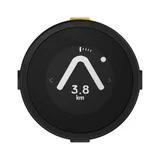
Beeline Moto
Works well, good quality – Great for LAMS riders very accurate and easy to use, very good backup customer service Show details

Garmin DriveSmart 50LMT
too old too inacurate – When I get home I am 30 or more meters away in my garage in a street 50 m behind my home. Maps are weird I have it set for fastest route but it takes… Read more
me in the longest distance and finish up where I would have tracked. Search a street not anything there to save some times.

TomTom Start 42 / 52 / 62
- Price (RRP) $169
- Screen Size 4", 5" and 6"
- Battery Life1 hours
Maps are ~90 to upgrade!!! – Was great at the start, year ago finished using it due maternity leave, but after decided to refresh the maps, i was stunned with the 86$ price for smth i already paid for !! Thats a rip off!! Show details

Navman Drive DUO 2.0
- Price (RRP) $279
- Screen Size 5"
Useless gadget bound for the bottom drawer – Difficult to set up and use, battery seems slow to charge and doesn't hold charge so constantly turning off and on. I've got another satnav device… Read more
which is a piece of cake compared to this piece of frustration- a waste of money in my opinion and bound for the bottom drawer. The software needs a makeover- visually looks like 30 years old

Hi John, Sorry to hear you are having issue with your… Read more

Navman MiVue 1000 Sensor XL
- Price (RRP) $299
- Screen Size 2.7"
Worked fine for 2-3 years. Playback easy enough on the inbuilt screen. Good quality footage. Suction cup mount tends to fall off on hot days. Conked out just recently (it suddenly refused to read the SD card).

Navman EZY450LMT
Worst ever device – Had Since July 2022 and have given it more than a fair trial. Throughout Queensland and NSW consistently given incorrect advice. Has had regular… Read more
updates. Tells you speed cameras in shopping centers when none exist, states in highway speed zones on major highways with limit of 100 to 110 speed limit, eithere 50km or 80 in some cases. Tells you railway crossings on streets and highways where none exist. Cannot direct you to correct side of road where median strips installed and have been for several years. We have travelled from Mackay to Port Macquarie as far west to Roma, south to Lightning Ridge, Goondiwindi and all places between. Problem appears top be incorrect algorithm details possibly by third party. Don't buy.
Hi Wilbur, We are sorry to hear you have not had a great… Read more (+3 replies)
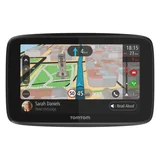
Tomtom Go 5200
Very impressed but only bought because TomTom stopped supporting my old model – Works just fine and the windscreen clip makes it easy to remove when parked. The ability to update maps via WiFi (no computer needed) is excellent… Read more
and much appreciated. Very easy to set up and lots of voices to choose from. But not happy when TomTom refused to supply any more LIFETIME maps to the old model though. They sure do have a strange idea of what "lifetime" means. Hope they support this model more than they did their earlier ones.

Navman CRUISE650MMT
- Price (RRP) $229
- Screen Size 6"
Still no fix to Navdesk download – No point having a GPS if you can't update the maps! Navdesk needs to be downloaded to your computer and can't open as the Mac tells you it can't be… Read more
trusted because it's malicious spyware. This has been a problem for a number of years, and still no Fix,

Navman MY690LMMT
My journey with NAVMAN – TOP section is the background story. Please read the BOTTOM section for the resolution.. This is my 3rd Navman. First one was great, made our trip… Read more
to Queensland a breeze back in 2007. Second one, not bad to use, used it to navigate the wineries of Adelaide and SA for a couple of years before someone decided they needed it more than me and stole it out of the car. Thought I'd buy a bigger one to replace it. The MY690LMMT. Nice big screen. Same relatively easy operation / software. Mostly very accurate and finds addresses easily. Battery? Hopeless as everyone else says but it lives in my vehicle and is never handheld so no biggie there. My problems began just around the 12 month mark when the screen became unresponsive and inaccurate to touch. I returned the unit to JB HiFi and it was sent back from Navman shortly afterwards working OK again. Here we are just over 12 months since and same problem. Screen either not responding to input or at times if you want to use one letter when attempting address input you have to deliberately use the key next to it. I have rebooted. I have performed the factory reset as described on the Navman help pages. No deal. I'm certainly not going to open it up or send it to a tech. I like this product (line) but I don't consider 12 months of proper operation before needing to go back to the manufacturer for service an appropriate lifespan.
Thanks to this site and the help of NAVMAN / MITAC customer relations team my problems have been completely resolved. I now have a replacement unit which is functioning (and in use as I type...my wife has it) perfectly. Navman's rep guided me through the process of resetting the unit before requesting I send it back to them. In a very short time they discovered the unit was faulty and generously replaced it even though the warranty was (only just) expired. Top marks to all concerned and a special thank you to Ronel my customer liason contact.

Navman EZY260LMT
An excellent product – Have had this item for at 10 years plus. Travelled all over Australia and gets us to where we want to go including major cities. Updates easy. One… Read more
problem I have had a couple of times is unable to get the GPS signal. After trying all the troubleshoots I found what fixed it was to disconnect the power lead in car and turn the engine on then plug it in and all good. Suspect the problem could of been a surge from the engine when turning on ignition. Simple fix. I have had the problem about 3 times in 10 years. Assume this could also effect other models as well.
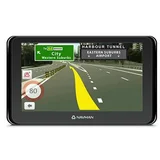
Navman EZY360LMT
- See all


Magnificent!!! Still works in 2022, updated with Navdesk(win 11), bought in 2016 – The Navmen EZY360LMT is still with me from 2016. I have updated the map tonight once more, (free lifetime) using Navdesk app on my win 11 PC!!!… Read more
Everything of this small machine is functional as the map, so the touch response with hands free bluetooth call . Probably, becoming a silent witness of my life in Australia. Im so surprised. An Incredible Awesome!!! GPS. Avobe all, the animation of route direction and clarity of speech along with speed camera alert still the best. Suction cup has lost adhesiveness. Before It was stable and easy to install. Few regional areas and most recent suburbs build on farmlands less covered on the map. Cloudy sky- Warning signal.

Navman MY Truck
Rubbish don’t buy – The only good thing about this machine is the dash cam. The gps side is rubbish. It can’t find some streets in Sydney that have been there for years. Just use your phone. No updates for software or maps. Save your money. Show details
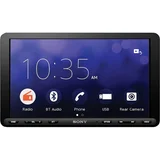
Sony XAV-AX8000
- Price (RRP) $999
- Screen Size 8.95"
Very happy with the unit – I like the way you can connect CarPlay to the unit it works quite well I have done an update which helped a lot, iPhone and everything works fine I connect straight away when I put my iPhone on, looking forward to many years of use. Show details

Navman MY580LMT
Wouldn’t turn on – When it was working. All good. Now it’s decided not to turn on at all, I get the orange light when charger plugged in but can’t get past the accept… Read more
button as it freezes. Then if I push the back button the screen goes blank and I can’t get any response at all. This issue was apparently due to a faulty charger cord. They seem to be specific to Navman as another cord plunger to USB would not respond. Navman fixed the issue under warranty. I’ve had Navman devices my whole life and this is the first issue I have had. If this wasn't sorted I would have never wanted to buy one again. Thank you for your help.

Navman EZY400LMT
This is not good for me, can't update lifetime maps – It worked ok for 2 years, but now nothing I can't update my lifetime maps, sorry, I won't own another one ever. Show details

Navman My Escape IV
Below par devise – Lifetime Maps, do not exist although this was a hot selling point. My my escape spent more time being repaired than I used it for . Eventually it was… Read more
replaced but has the same lack of power issues, Support are happy for me to now pay $110.00 for them to look at it, Is this something that should have happened when it was under warranty at NO cost to me! GARMIN or TOMTOM here I come.
Hi Mike, Please private message me your full name,… Read more (+2 replies)

Garmin dezlCam 785 LMT-S
- Price (RRP) $649
- Screen Size 7"
- Battery Life2 hours
trip meter fail, address's not found, cam not rotating, need to replace or warranty claim after 10 months – too many issues, maybe simple failures- will need to take back for replacement or refund. i need for the trip meter- critical and not working at all.… Read more
cam will not erase or rotate. hopefully new replacement will work - so many address's including CBD locations not found. this is NOT user friendly.

TomTom GO Basic 6" 1BA6.106.00
Useless piece of equipment – I bought my little GPS TomTom GO Basic (X65022T00017) from Amazon Australia. After registering product on TomTom Webpage I downloaded TomTom MyDrive… Read more
app. Updated my GPS and I noticed that what I can get are maps of whole Europe only which are for nothing to me. No map of Australia and GPS is “blank” after connecting in my car. I noticed that I can buy perhaps map of Australia from TomTom –perhaps is that commercial trick. (device is provided with useless maps and customer is supposed to buy whatever he needs). Also is impossible to contact whoever or get any support from them, it's bl..dy digrace

TomTom GO Supreme
Stay away from any tomtoms.. They are changing their products and no longer provide warrantee/repairs in Australia. I had so many problems with Tom… Read more
Tom go. Battery failure, device fall down on ball, suction on clamp split, etc so many problems !! Stay away from this brand.
Hi Robin, Thank you for the detailed review! while all… Read more